As AI is becoming more familiar to end-users, it is also becoming more frequent to have bot joining Teams meeting to assist taking notes, tracking important details or even provide a summary at the end of the meeting.
Unfortunately this can also create a security risk when sensitive data are discussed.
Well, you can now detect bots joining a meeting and decide if they are allowed to join or not.
This new meeting policy feature is turn on by default, so Teams administrators should have nothing to do, except if they want to turn it of for some of their meeting policies.
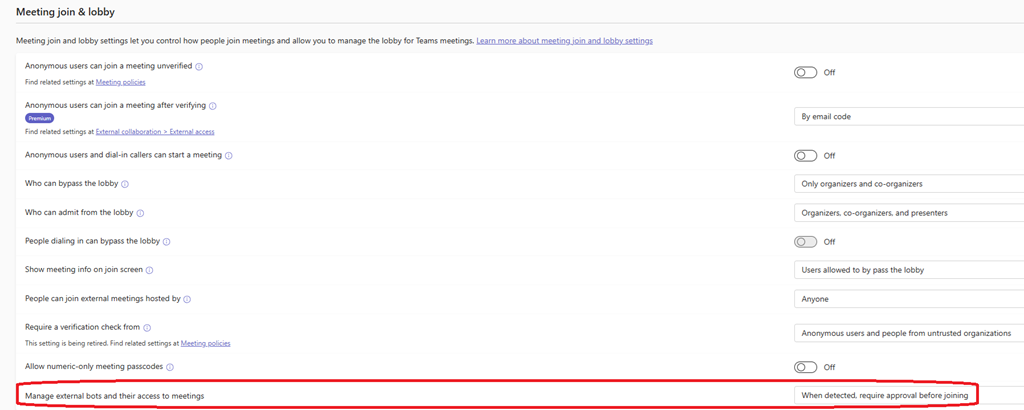
To manage the smart bot detection option, connect to your Teams administration portal (Dashboard – Microsoft Teams admin center) and access the Meeting policies blade to edit the policy(ies) you want to turn it off.
Then access the Meeting join and lobby section and turn off (or on if already turned off) the Manage external bots and their access to meetings