

Over the past few weeks I saw lot of posts telling everybody to upgrade their Entra ID Connect instance to at least version 2.5.79.0 to avoid synchronization disruption after September 30.
All these posts are forgetting one important point, Microsoft is also deprecating Entra ID Connect (gradually); so instead of recommending to upgrade Entra ID Connect instance, these posts should recommend to migrate to Entra ID Cloud Sync instead.
Well, Microsoft has released a new version of Entra ID Connect (2.6.91.0) available for download from Entra portal (or from this direct link https://download.msappproxy.net/Subscription/d3c8b69d-6bf7-42be-a529-3fe9c2e70c90/Connector/AADConnectSyncInstaller) which includes a migration workflow to Entra Cloud Sync.
The migration workflow will assess your Entra ID Connect configuration, provision sync agents and allows for staged migration from Entra ID Connect to Entra ID Cloud Sync.
After running the configuration wizard after upgrade (or new installation) a new option is being available “Transition to Cloud Sync”
NOTE this option is only available on the active instance
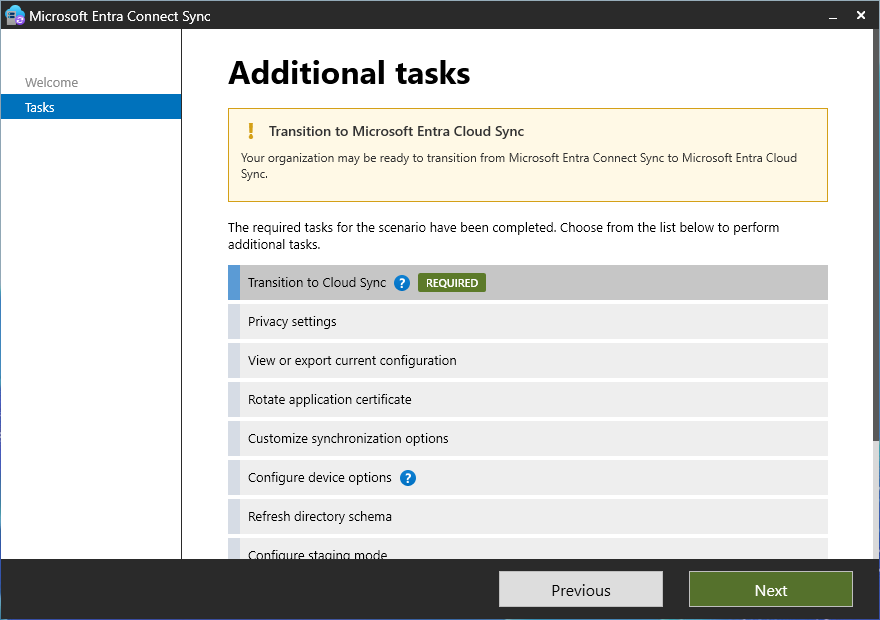
This will launch the migration readiness assessment
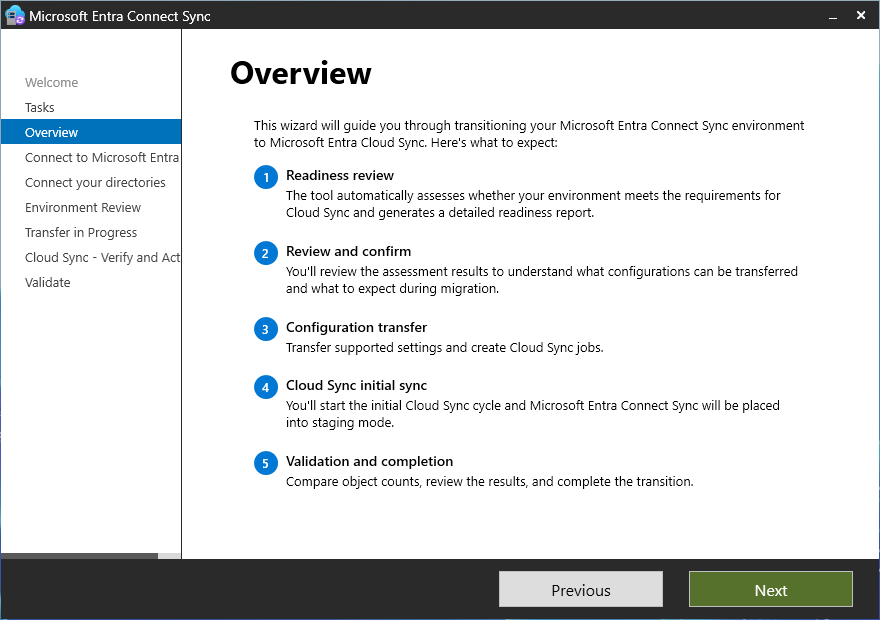
The assessment will review your Entra ID Connect configuration to identify any potential migration issue to allow you to mitigate; if no issue has been found, you will then be able to get Entra ID Cloud Sync being configured by deploying the first agent and migrate the configuration to Entra Cloud Sync
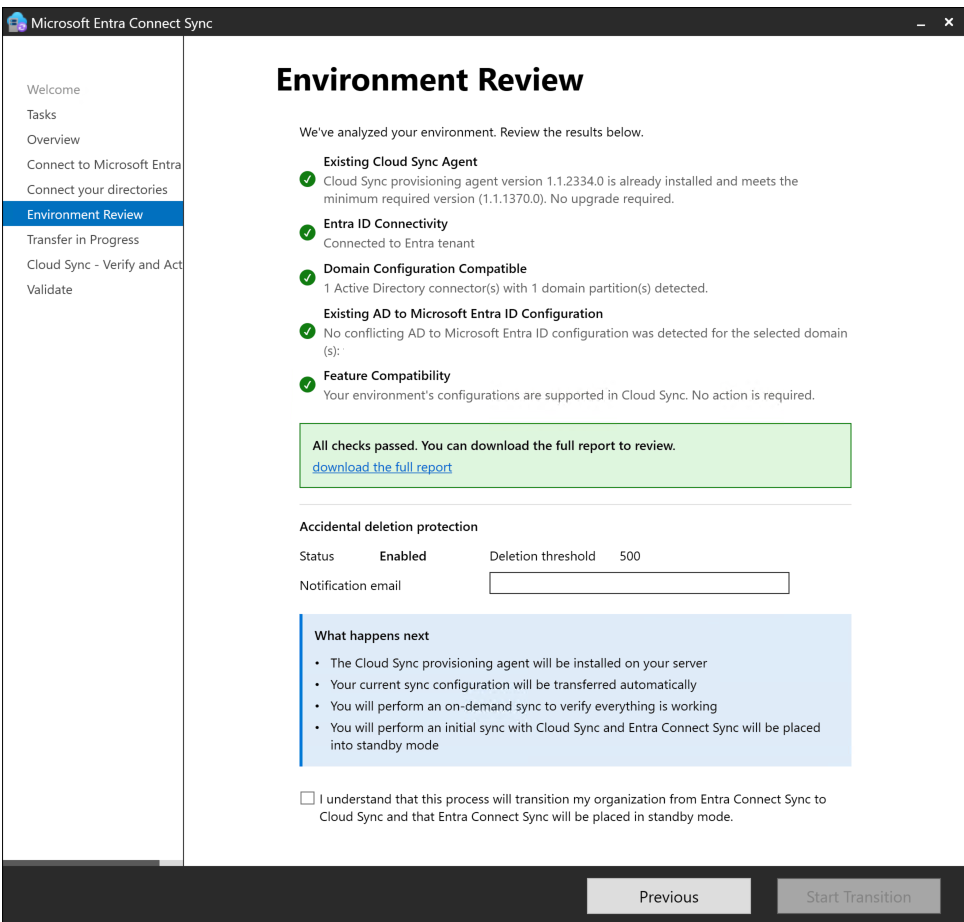
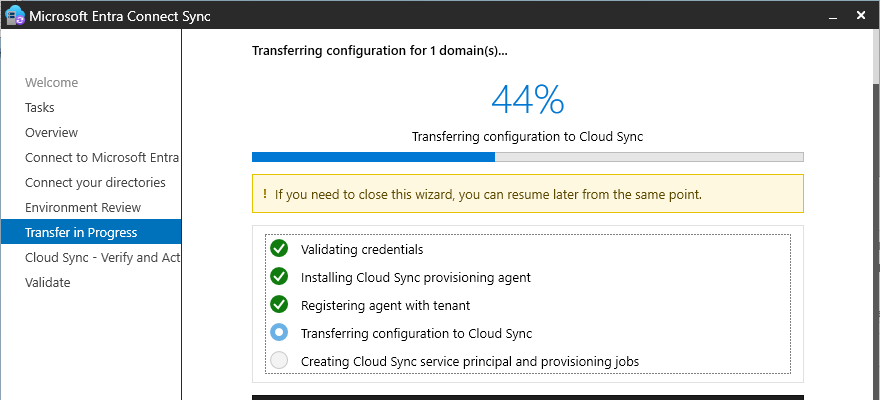
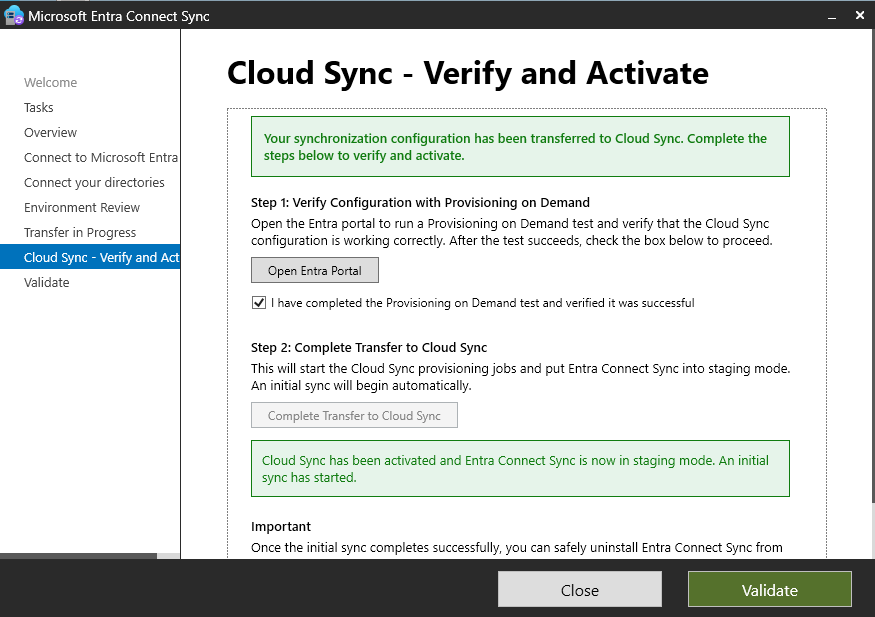
During the migration process, do not uninstall Entra ID Connect/Entra ID Cloud Sync as Cloud Sync is going to run under “staging mode”
After the final validation, you will be able to enable Entra ID Cloud Sync and validate the migrated configuration
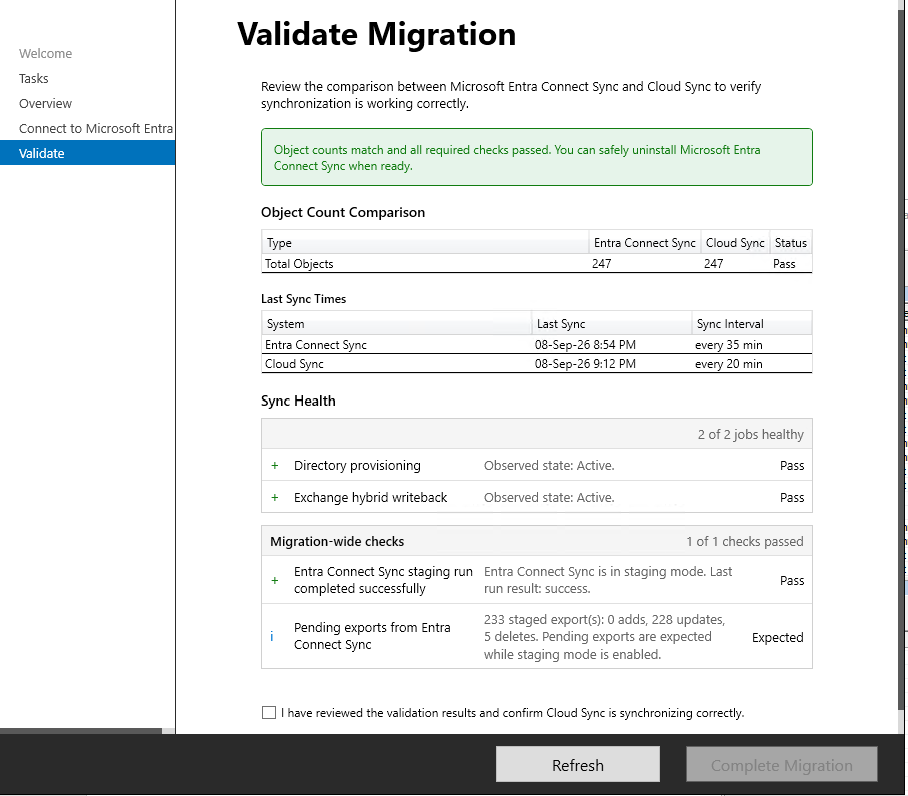
After completion of the migration and validation (the Complete Migration button , you will need to keep Entra ID Connect for 2 weeks