

Before we start, you need to keep in mind there is a difference between the monthly updates (known as Patch Tuesday) and quality updates.
- Monthly updates apply to both Windows OS and additional security updates (think .Net Framework) and made available on the second Tuesday of the month
- Non security (including preview) updates (quality updates) are released outside of the Patch Tuesday windows and apply to both Windows and .Net preview updates. Usual release is the fourth week of the month
- Out of Band updates apply to urgent updates which can not wait for standard delivery windows
Until then these updates have been using the same Windows Update policy (including Hotpatch policy) and you could not really control when non security or out of band updates would be deployed; the only controls you had were when it is becoming available and the deadline to install and restart (usually out of business hours).
Well, now you can configure different timing to deploy each different updates types (monthly, non security or out of band).
To start setting different timing for each updates types, connect to your Intune portal and access the Devices\Manage Updates\Windows Updates\Quality Updates blade
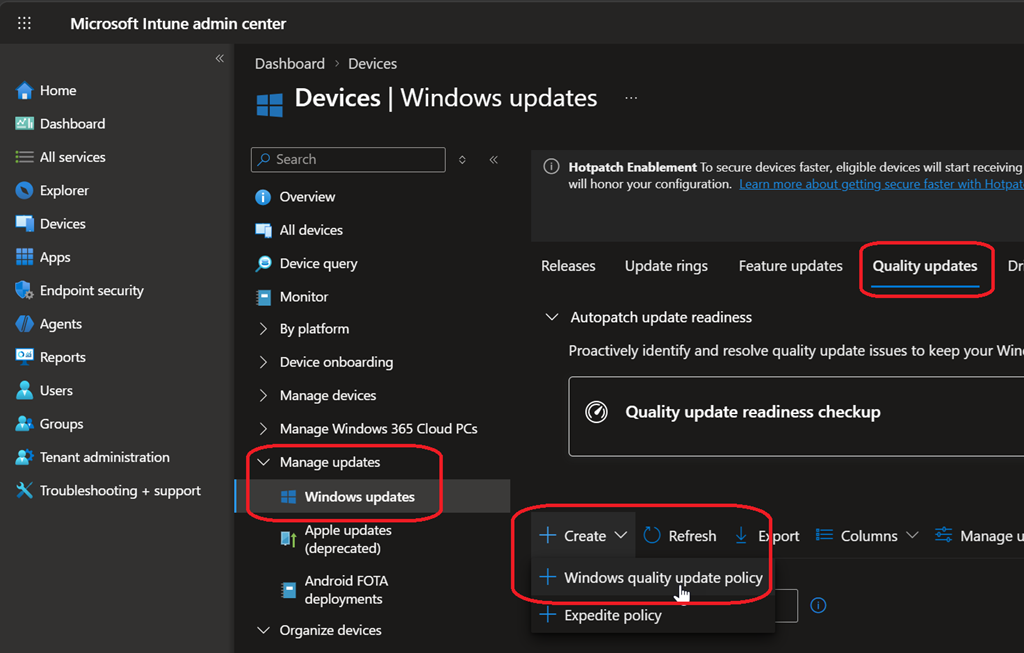
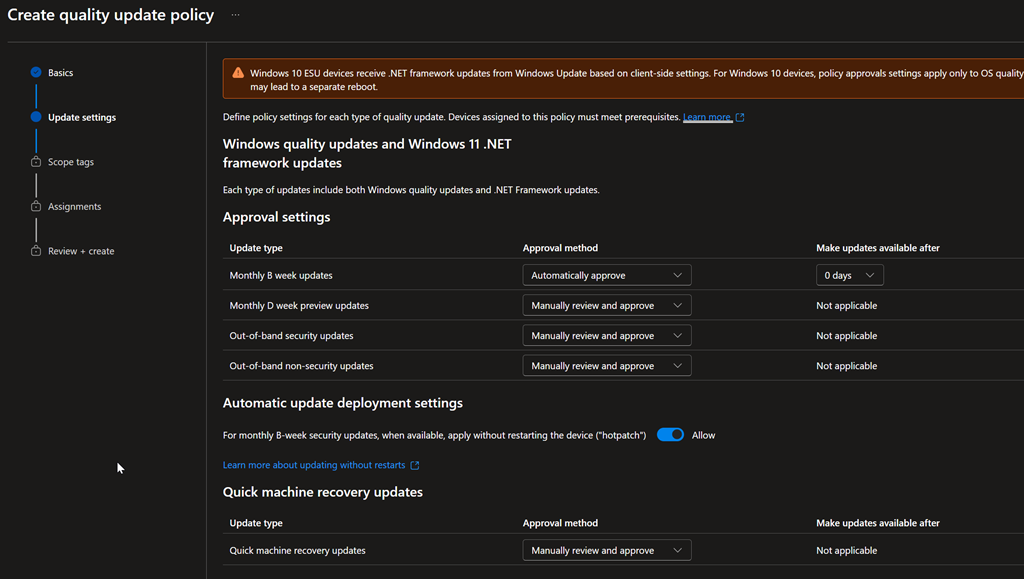
If you already have a quality update policy (Hotpatch possibly), you can edit the existing policy.