

As you know, Entra ID offers a way to synchronize identity objects between different tenants (cross-tenant sync) the same way you can synchronize your on-premises Active Directory with Entra (Entra ID Cloud Sync or Entra ID Connect).
Since recently, Entra Cross-Tenant Sync is now able to also sync groups (Entra ID – You can now synchronize groups with cross-tenant capability).
Well, it seems the cross-tenant sync for groups has its own way of working.
Indeed, with directory synchronization tools you know when you delete a group from the source (Active Directory), the group is automatically being deleted in Entra and removed from the synchronization configuration.
Well, it is not the case with cross-tenant synchronization; when you delete the group from the source tenant, the group is indeed removed from the synchronization but not deleted in the target tenant and the cross-tenant sync is generated sync errors.
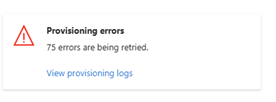
When looking at the provisioning log, you will see this error
Resource <removed>’ does not exist or one of its queried reference-property objects are not present. This operation was retried 0 times. It will be retried again after this date: <removed>
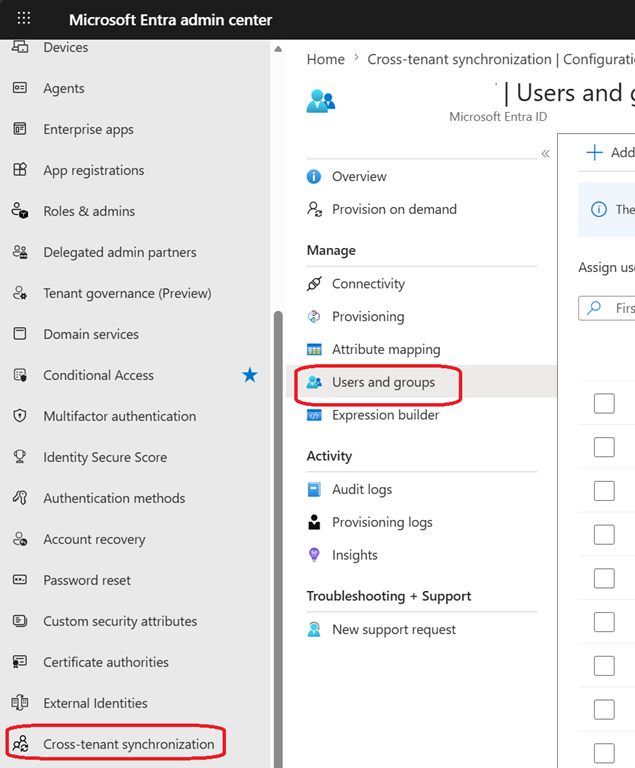
To avoid such error you will need to first remove the group intended for deletion from the cross-tenant sync assignment, wait for the next cross-tenant sync cycle to get the group being deleted in the target tenant and then only delete the group from the source tenant.
Please note this error can also occurs if the group is deleted in the target tenant.
To resolve this issue, you need to recover the deleted group from the source tenant, wait for the next sync cycle and then remove it from the cross-tenant sync assignment before deleting it again.