

As you probably already know, you can synchronize users from one Entra ID tenant to another one, simplifying user management when in multiple tenant configuration (see Configure cross-tenant synchronization – Microsoft Entra ID | Microsoft Learn).
Until now you could only synchronize user objects between tenants, with the error EntityTypeNotSupported.
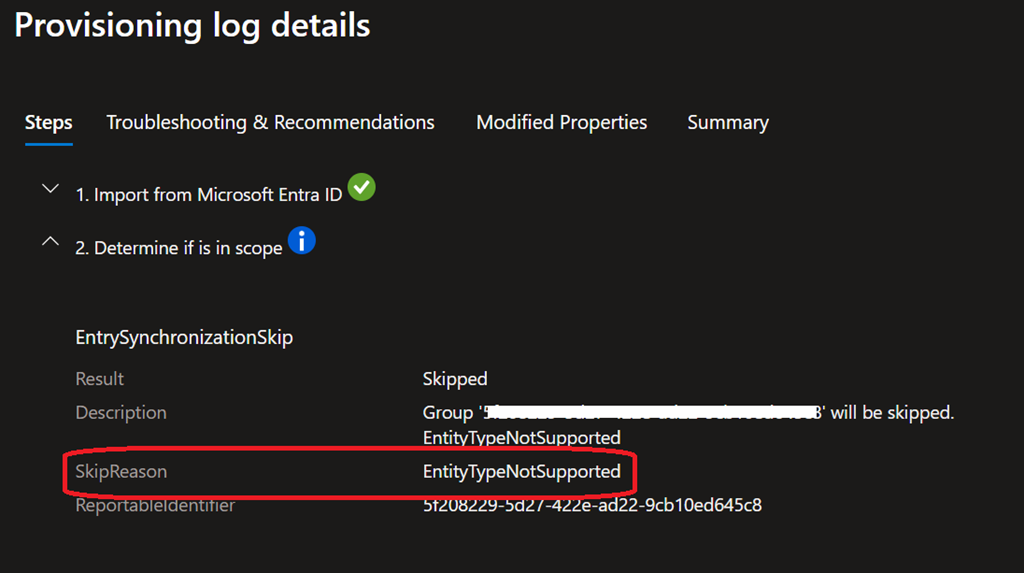
Well, good news as now you can also synchronize security group objects between tenants.
This feature simplifies collaboration scenarios by allowing shared access to resources across tenants while maintaining centralized group management while also streamlines administration of multiple tenants by centralizing group membership control, reducing duplication and manual overhead.
To enjoy this capability you need to have at least Entra ID Suite licenses from the source tenant.
IMPORTANT nested groups are not being synchronized; you need to assign the synchronization to each individual groups.
NOTE only security groups are synchronized, both assigned or dynamic.
Only security
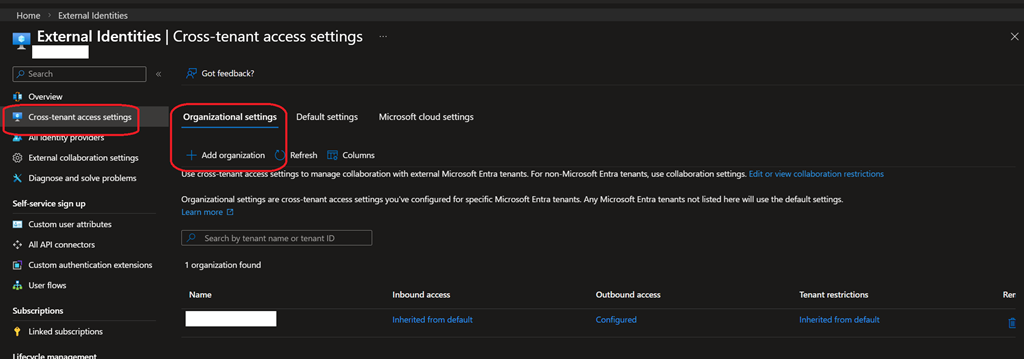
If you are setting up cross-tenant for the first time, you need to add an organization in the Organizational settings tab of the Cross-tenant access settings tab on both source and target tenant
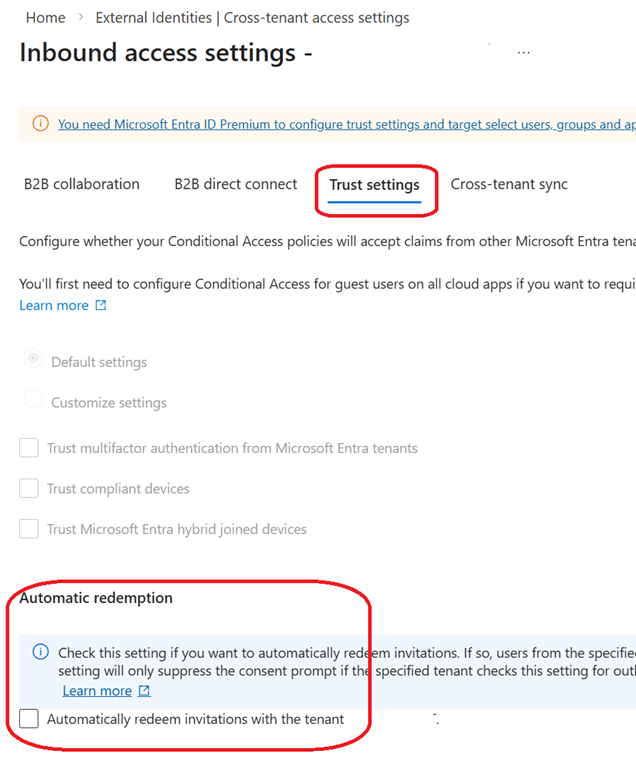
Then you need to ensure the Automatically redeem invitations (available from the Trust Settings of the organization link) is enabled on both tenant; in the source this must be configured from the Outbound access\Trust settings blade in the source tenant
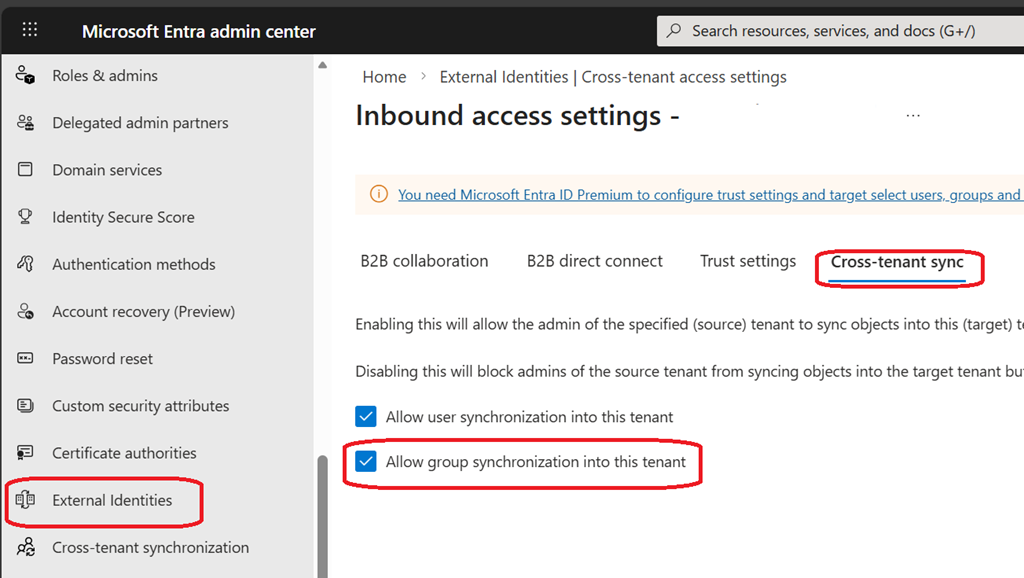
Then you need to update the external identities cross-tenant access settings to allow groups on the target tenant to be synchronized (from the Inbound access\Cross-tenant sync blade in the target tenant)
Once done, you can update the source tenant cross-tenant synchronization to enable group synchronization; you must use the new provisioning experience

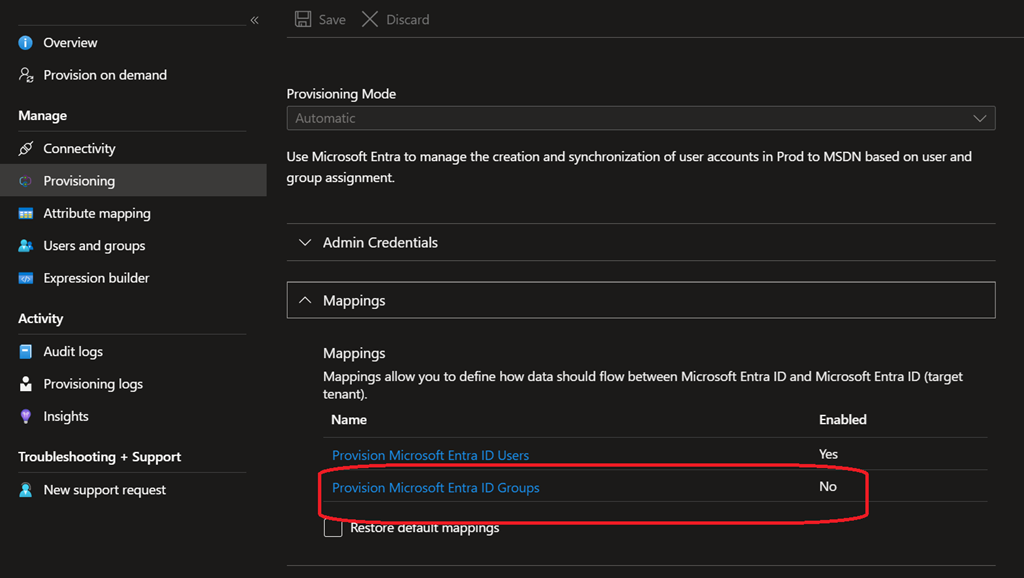
When using the new experience, you will have the option to turn on group synchronization in the Provisioning blade under the mapping section
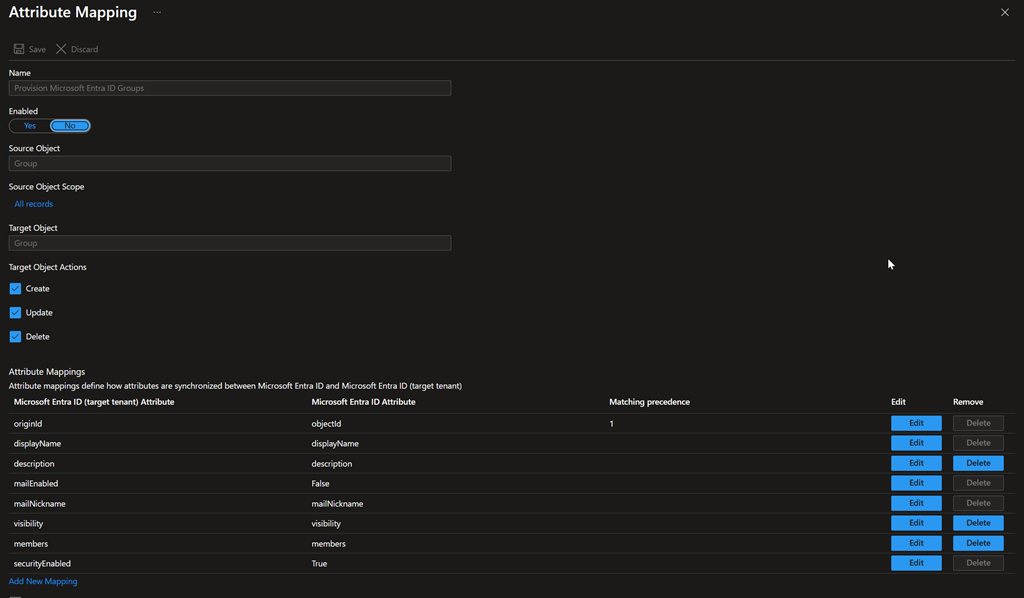
Once you have assigned a group for cross-tenant synchronization, both the group and the members are provisioned in the target tenant.
NOTE there is no visible attribute to identify if these groups/users are synched using cross-tenant sync.
Off course, any permissions or roles assigned in the target tenant must be manually assigned to the synced groups.