

As you know, when using Teams for meetings and authorized users (usually organizers) start recording and/or transcription a notification is displayed to all participants.
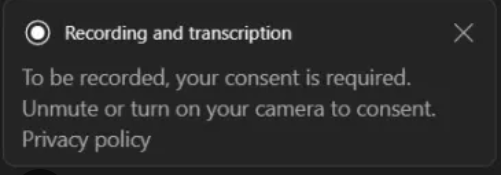
This notification is enabled and can not be disabled.
Well, good news as Teams administrators can now customized the notification for recording and transcription.
This can be helpful to provide privacy link, recording/transcription initiator name, support different language (if not available it will fall back to the default one) or support for explicit/implicit consent.
The customization use a CSV file to be uploaded with the customizations. The CSV template to use can be downloaded from the Teams administration portal (see below for the section to enable and configure the custom notification).
The CSV file contains all supported language – you don’t need to fill up all the languages – and the additional settings.

The custom message (agreement_dialogue) accepts only up to 200 characters.
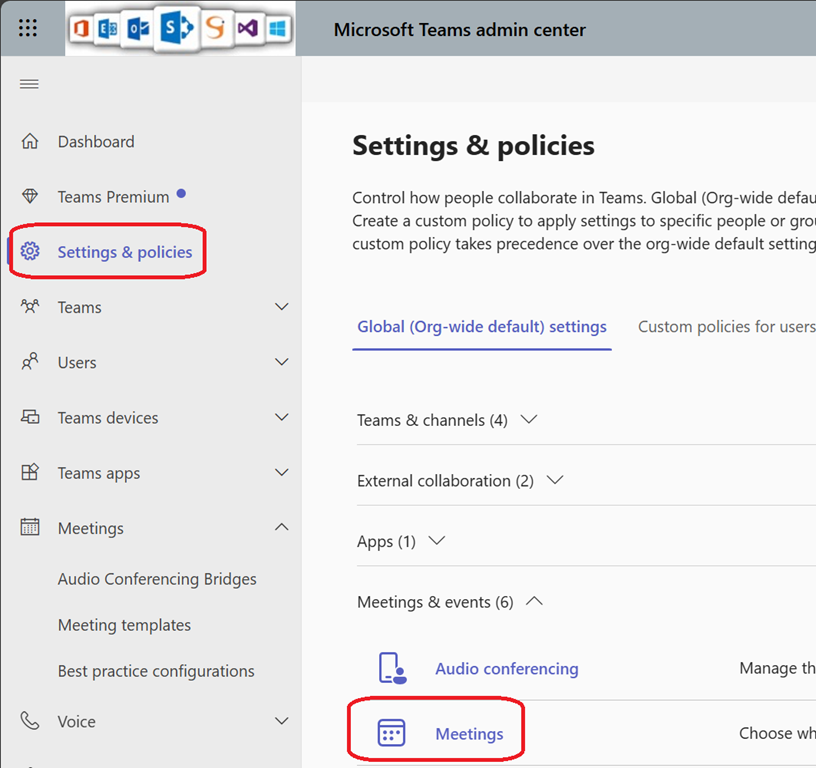
To enable and configure the custom consent, connect to your Teams administration portal (Dashboard – Microsoft Teams admin center) to access the meetings policies
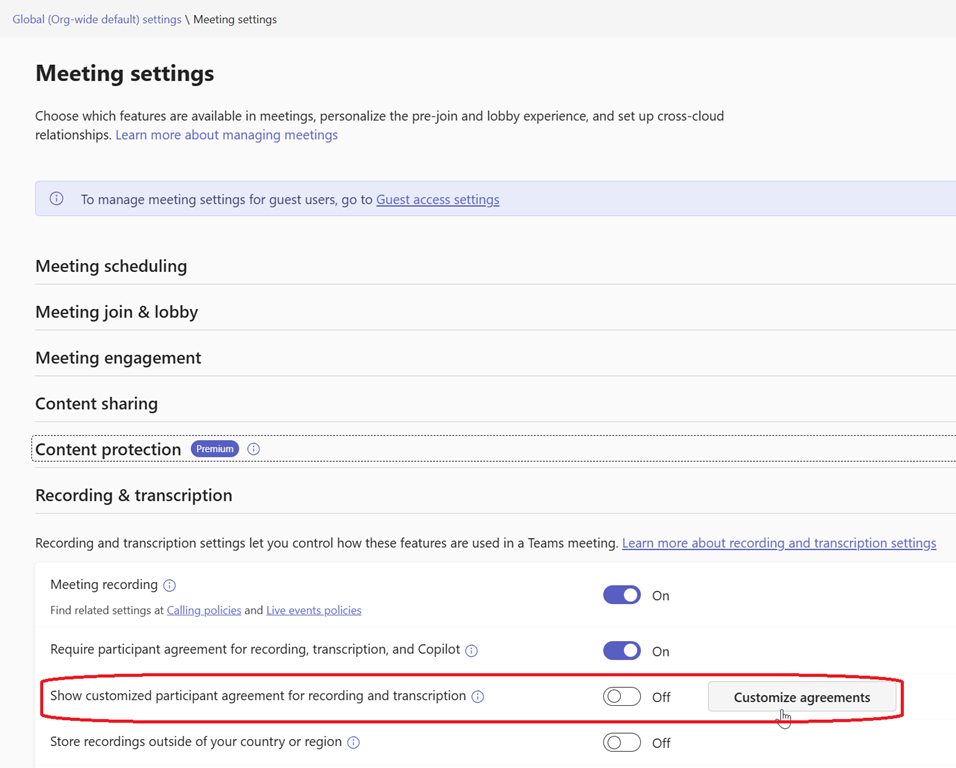
Then locate the Recording & Transcription section to customize agreement (needed to download and then upload the CSV file) and turn it on
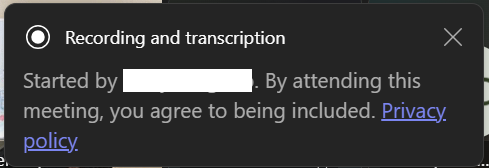
Details on how to fill up the CSV file is available here Custom banner for recording and transcription – Microsoft Teams | Microsoft Learn