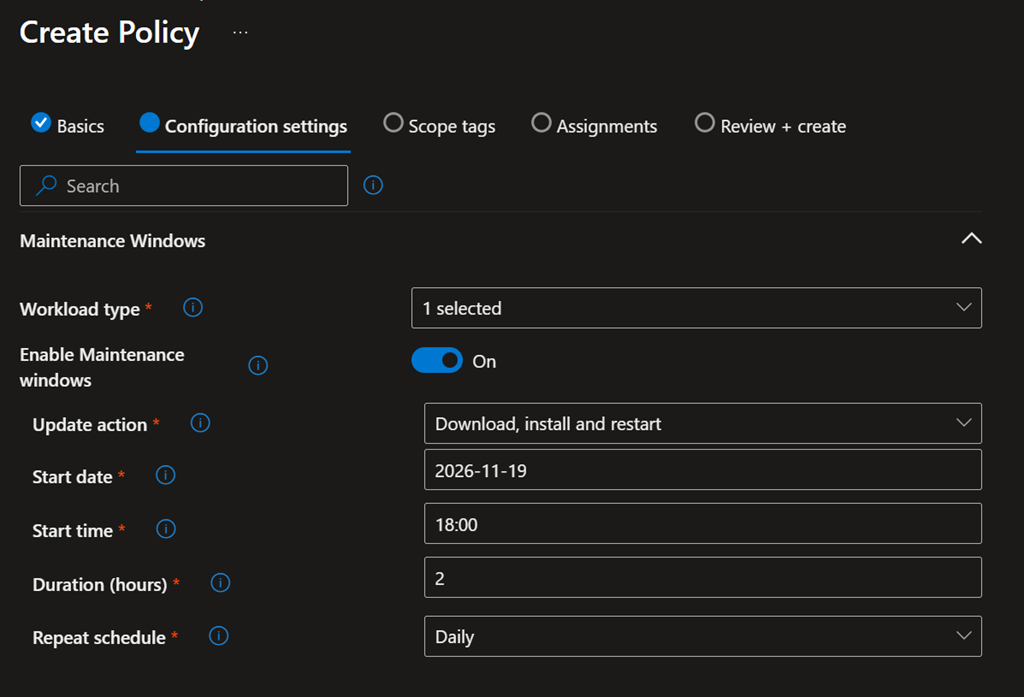
As you know, with Intune you can manage and configure Windows devices for Windows Updates for Business to deploy updates and feature upgrades.
That said, you can not really control when these updates are being installed in the back, you can only control when their becoming available and when a pending restart must be completed.
Similarly, you can not control when a required application is being installed. Required applications are usually being deployed and installed as soon as the device detects it.
This lack of control for when something is happening can disrupt end-users activities.
Well, good news as now you can configure maintenance window to control when such activities can be executed, usually outside of business hours.
This capability is available with the Intune 2611 service release (you can check from the Tenant administration\Tenant status blade Tenant admin – Microsoft Intune admin center).
To create a maintenance window policy, connect to your Intune portal to access the Devices\Manage devices\Maintenance window blade (Devices – Microsoft Intune admin center)
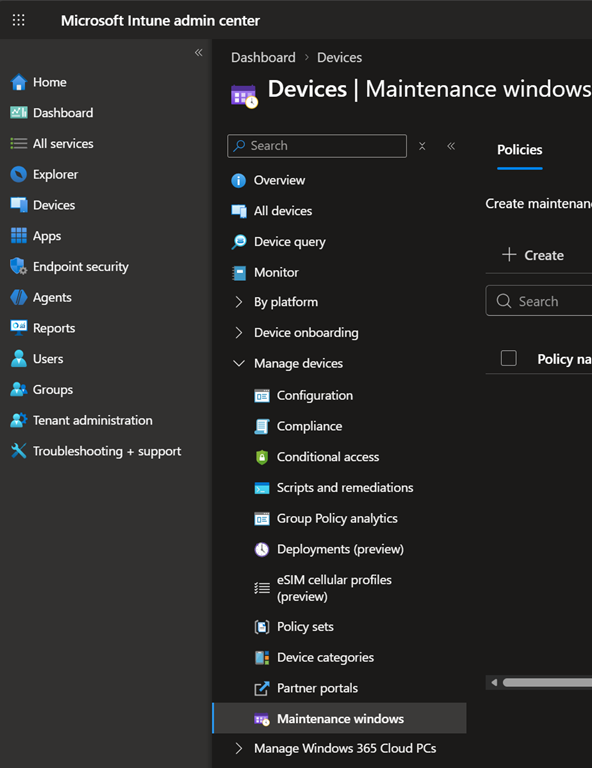
At this stage, you can configure maintenance window for Updates workload – likely there will be additional workload types coming in the future.
When configuring the maintenance window, you will need to set the start date and time manually in the format YYYY-MM-DD and HH-MM – for example if you want your maintenance window to start on November 19, 2026 you need to type 2026-11-19