

If you are working/managing Azure environments, you must already know you can/should implement Azure policies to enforce some requirements (such as tags, allowed region….) to maintain a proper Azure governance.
Well, Azure policies are (or have been) applicable to resources but you could not manage policies based on identities.
There are some scenario where you need to exclude./exempt some policies to be applied but because of the above “limitation”, you had to exclude a wider exemption context. For example, deploying a new VPN connection when using Virtual WAN will fail because of requirements for tagging but the way the VPN connection is deployed from VWan does not allow/support the tagging requirements; so you had to exclude the resource group/resource type for the tagging requirement while deploying.
Well, good news as now Azure Policy now allow to set exemption to identities which will allow corresponding identities to be exempted from the corresponding policy/initiative assignments.
To do such thing, connect to your Azure portal (Home – Microsoft Azure) to access the Azure Policy management (Policy – Microsoft Azure).
From there, go to the Authoring\Assigments (Policy – Microsoft Azure) to select the policy/initiative assignment and create an exemption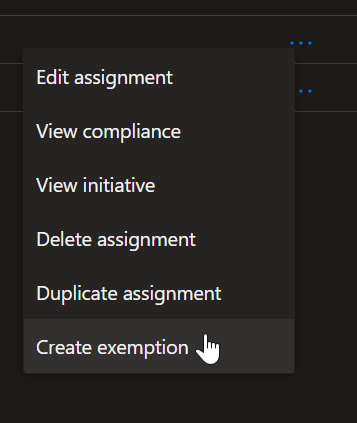
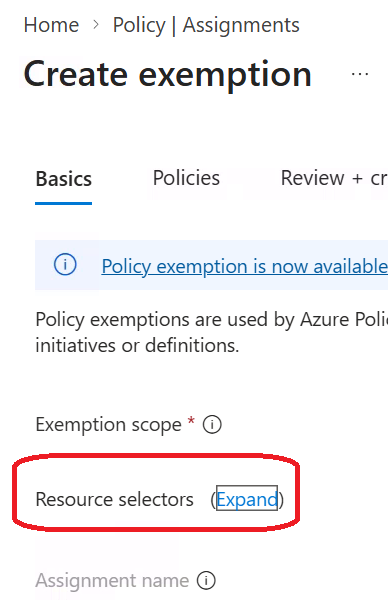
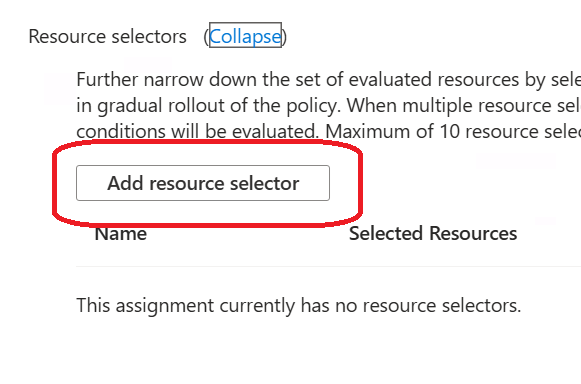
From there when creating the policy/initiative exemption, Expand the Resource selectors section to then click on Add resource selector to then set the identiy/ies or group(s) to be excluded from the policy/initiative
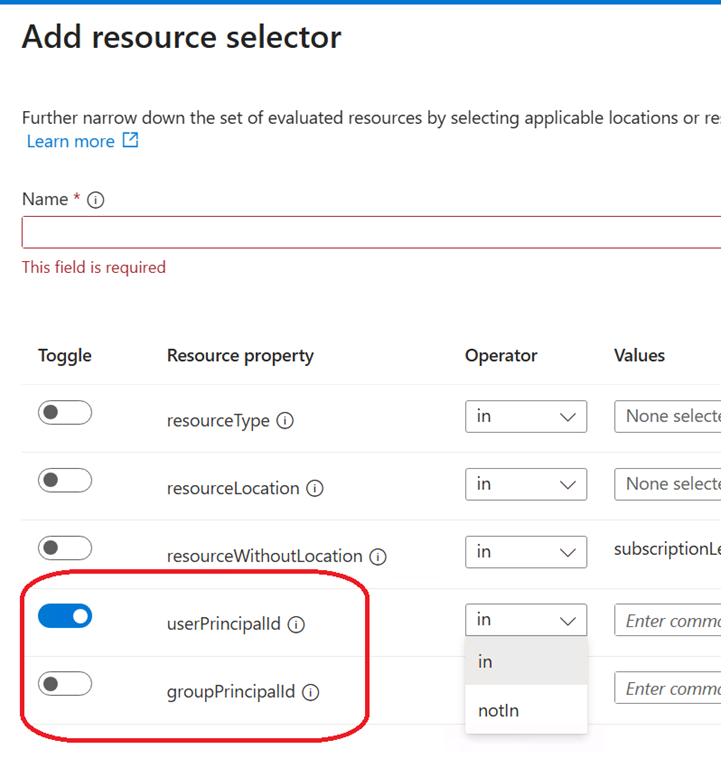
The value to be set for any of these 2 options must be the corresponding object ID from Entra

This can be very helpful for deploying resources either manually or through CI/CD and when policies are set to block.
The result of it will allow the corresponding identity object (user/group) to be exempted and blocked from deploying BUT will still then report later on as non-compliant because the deployed resource(s) do not comply with the policy.