

As know, Entra ID is the backbone for managing identity and access to cloud services and applications – either Microsoft or integrated third party ones.
Regarding identity objects, you are dealing with 2 different user types:
- member
- guest
While member accounts are usually relatively well managed, the guest ones are most often the blind spot and a potential security hole.
Well, good news as now if you are entitled for identity governance feature in Entra, you can implement lifecycle workflows for managing guest accounts.
Identity governance is included with:
- Entra ID P2 (which is included with M365 E5, E7, A5)
- Entra ID Governance add-on
- Entra ID Suite
If you are entitled for Identity Governance and want to implement a guest lifecycle workflow, connect to your Entra ID portal to access the ID Governance\Lifecycles workflows\Guests blade
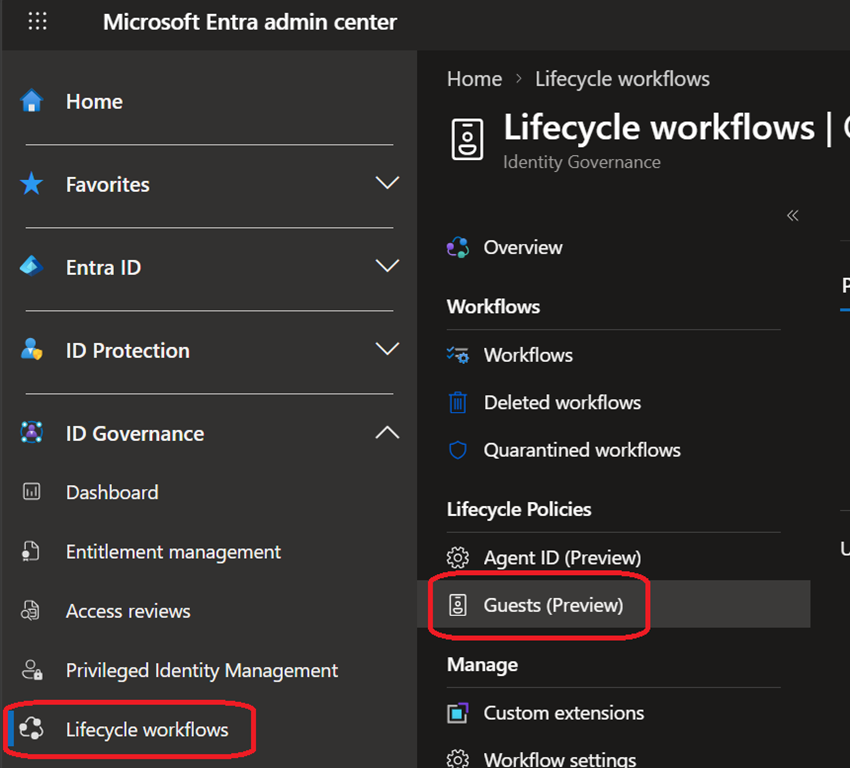
From there you can create workflows to manage guest accounts in your tenant.
When configuring the workflow, you can:
- target specific guest accounts or all
- define the required rule(s), from periodic check to validate the presence of a sponsor
- set the action to be executed if guest does not match the defined rules
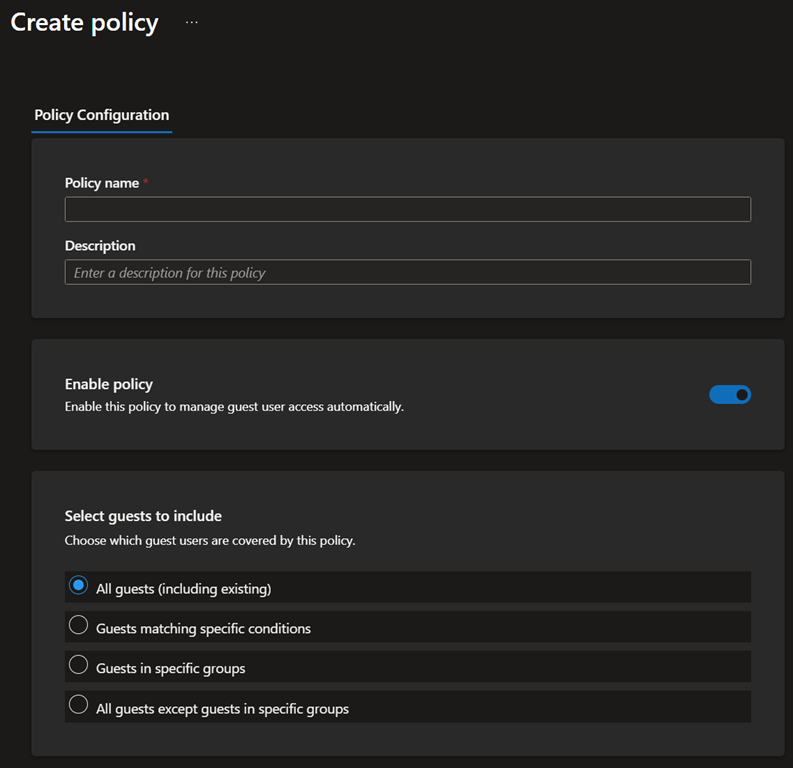
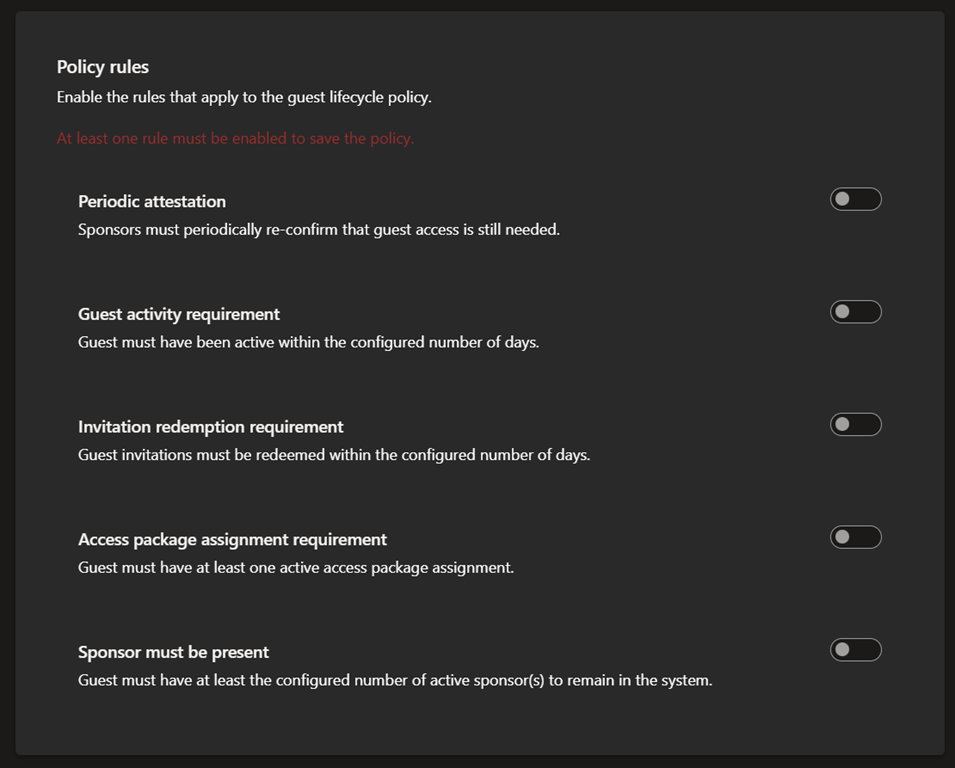
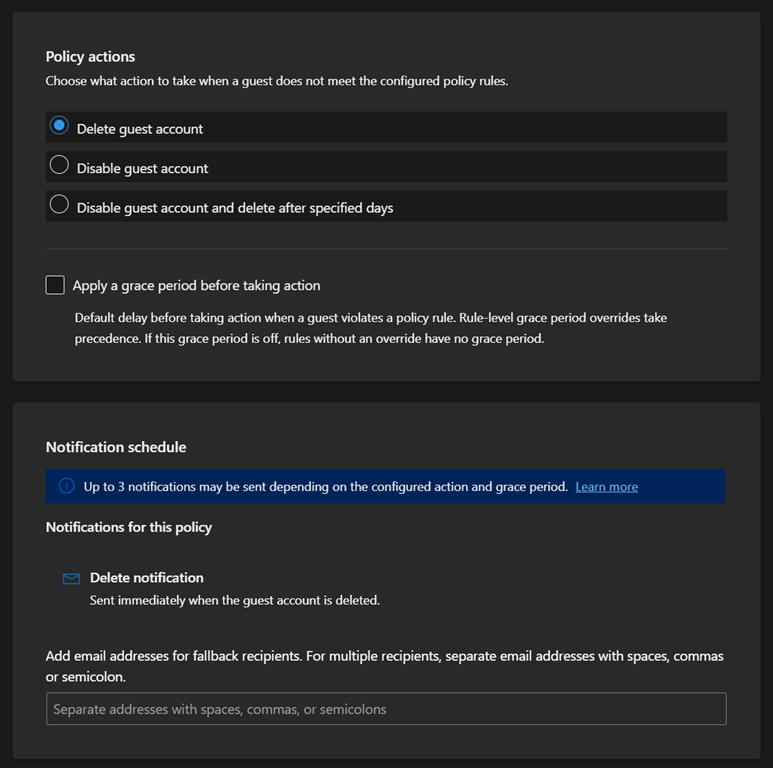
This will for sure help Entra ID administrators to properly maintain a good identity posture