AS you likely know, Entra comes with some protection level in regards of objects deletion – started with users and groups, and more recently devices (Entra – You can now recover deleted device objects (preview)) or even a backup/restore capability (Entra ID – You can now backup and recover your Entra tenant (preview)).
After the retention period is expired – or manually permanently deleted, corresponding objects are permanently deleted and not recoverable.
This can cause bit of trouble for some Entra objects – think about break glass accounts or service principals – which are not used frequently, especially when (rogue ??) administrators can manually and almost immediately permanently delete these objects.
Well, a new protection capability has been added to block permanent deletion for specific objects:
- cloud-only users or groups – at this stage synced users/groups can not be protected; maybe at later stage)
- applications (Entra ID Enterprise Applications)
- service principals (Entra ID Registered Applications)
Entra Agent ID objects are also covered through their corresponding user, application and service principals.
Before you start setting up permanent deletion protection, you must know the following:
- it blocks manual permanently deletion process for protected objects during a 7 days window to allow investigation
- protected objects can still be deleted (soft-deleted)
- once an object is set for protection, it can not be removed
- after the 7 days window, manual permanent deletion can be performed
To enable manual permanent deletion protection, you must have at least Microsoft Entra Backup Administrator role.
Then sign in to your Entra ID portal (Microsoft Entra – Microsoft Entra admin center) to access the Backup and recovery\Hard deletion protection blade (direct link Backup and recovery – Microsoft Entra admin center)
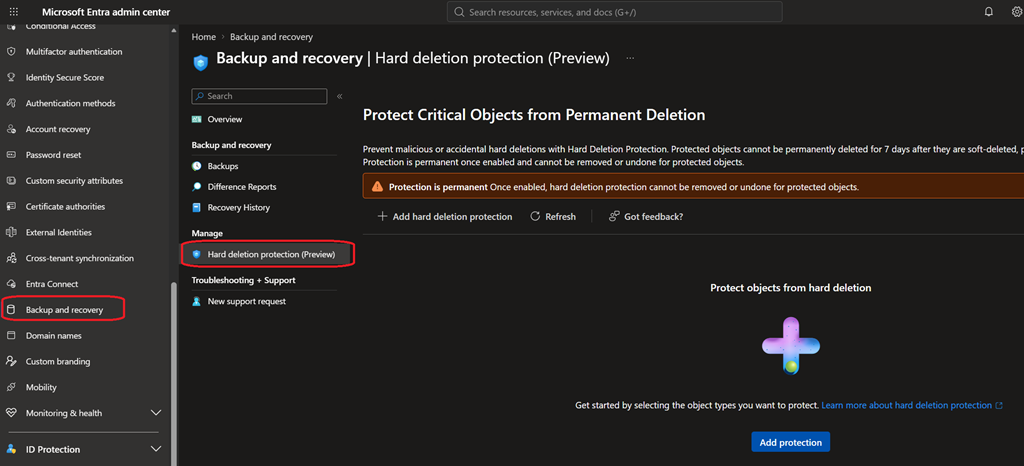
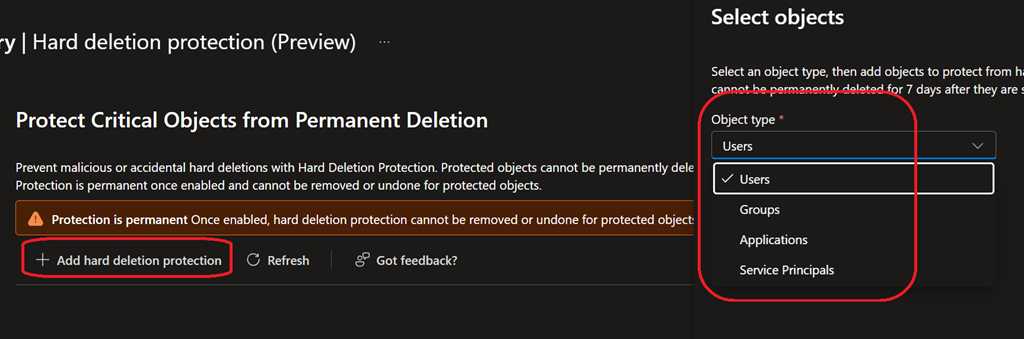
From there you can then select the object types (users, groups, applications or service principals) by adding protection.
You can add up to 20 objects of the selected type (this sounds more a preview limitation and may likely be increase based on feedbacks – hopefully).
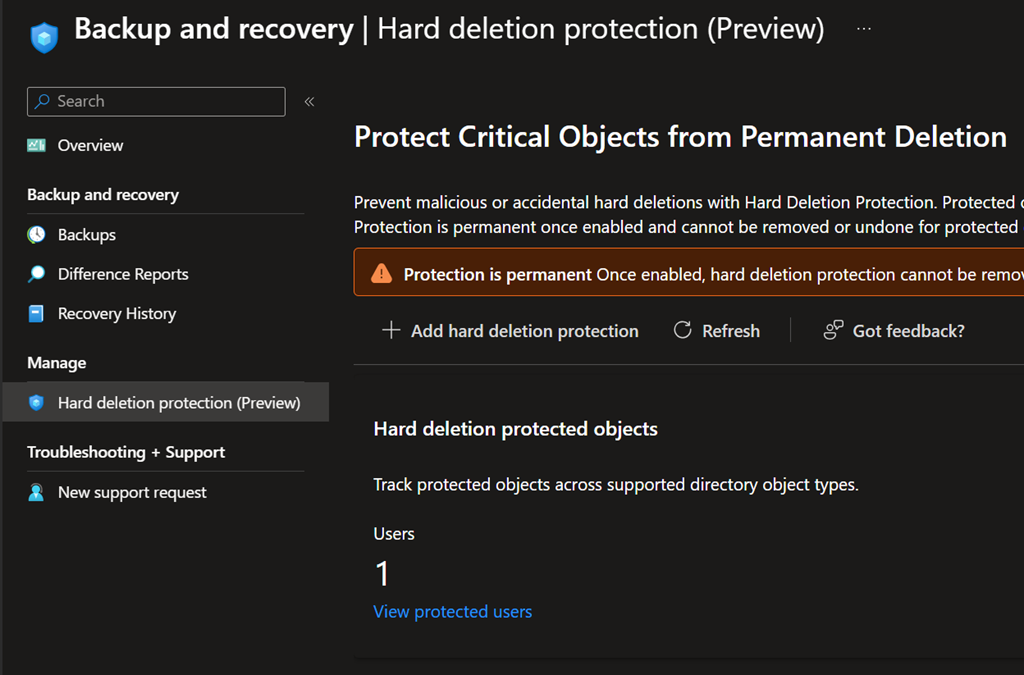
From the same blade (Backup and recovery – Microsoft Entra admin center) you can then review the number of objects for each type protected.
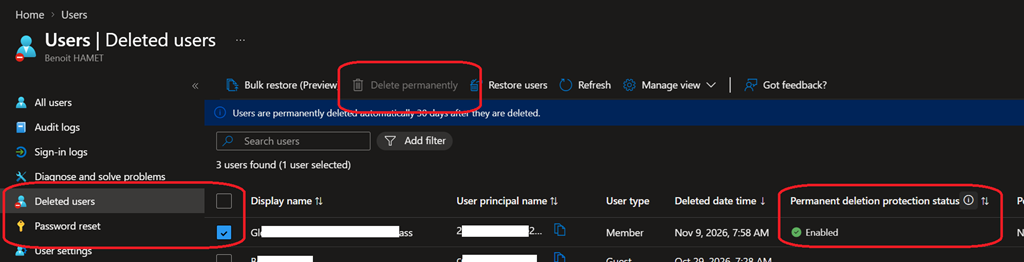
When an object is protected for permanent deletion and has been deleted administrators can see the status from the corresponding deleted object type blade.
One more time, this does not protect from permanent system deletion; it is just protecting from manual permanent deletion.
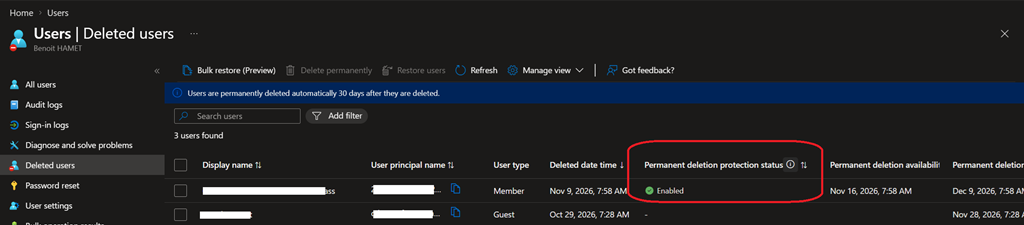
When you select an object protected from permanent deletion to manually permanently delete it, the corresponding option is not available