If you use Microsoft Intune to manage your devices fleet, you already know that it can gather some device hardware details.
Well, good news as now you can get more detailed hardware information from your Windows devices, covering more details about CPU, battery, hard drives, BIOS version or SIM information.
To enable this capability you need to:
- Use managed Windows devices – including co-managed (aka with SCCM client), either Entra Joined or Entra Hybrid Joined
- Create a Properties catalog profile
Once you match the above requirements, you will get more details about the device hardware.
NOTE unfortunately these details can not be used (yet ) for Entra ID Dynamic Groups.
When creating the Properties catalog profile you can select which information you want to gather
- Connect to your Intune portal (Microsoft Intune admin center) to create a new Windows device configuration profile
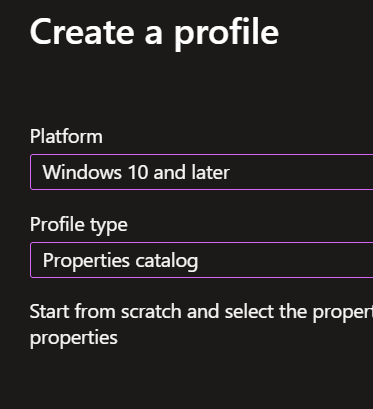
- Select the profile by selecting Windows 10 or later as platform and Properties catalog as type
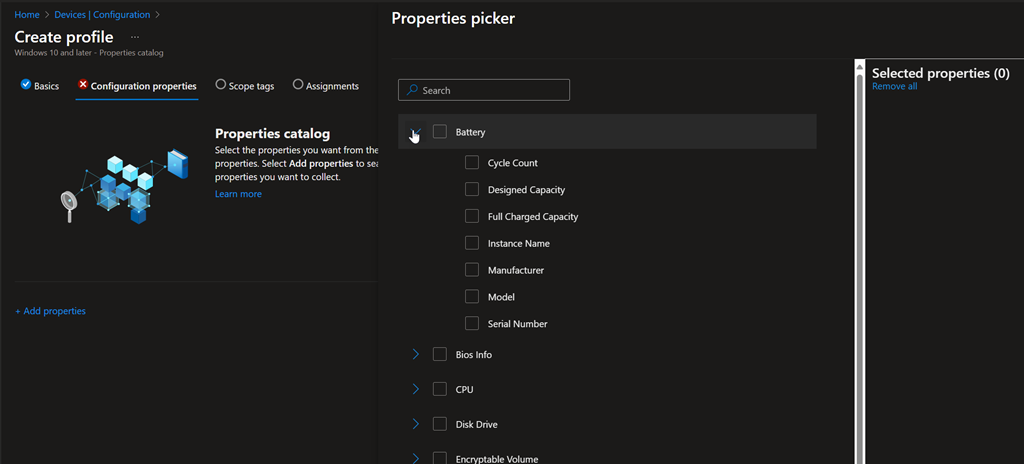
- Then you can select either all or specific hardware details you want to gather
- Battery
- Bios Info
- Cpu
- Disk Drive
- Encryptable Volume
- Logical Drive
- Memory Info
- Network Adapter
- Os Version
- Sim Info
- System Enclosure
- System Info
- Time
- TPM
- Video Controller
- Windows Qfe
Some additional properties are automatically added depending of the category you select, such as:
- Battery – Instance Name
- Bios Info:
- Bios Name
- Software Element ID
- Software Element State
- Target Operating System
- Cpu – Processor ID
- Disk Drive – Drive ID
- Encryptable Volume – Volume ID
- Logical Drive – Drive Identifier
- Network Adapter – Identifier
- System Enclosure – Serial Number
- Video Controller – Identifier
- Windows QFE – Hot Fix ID
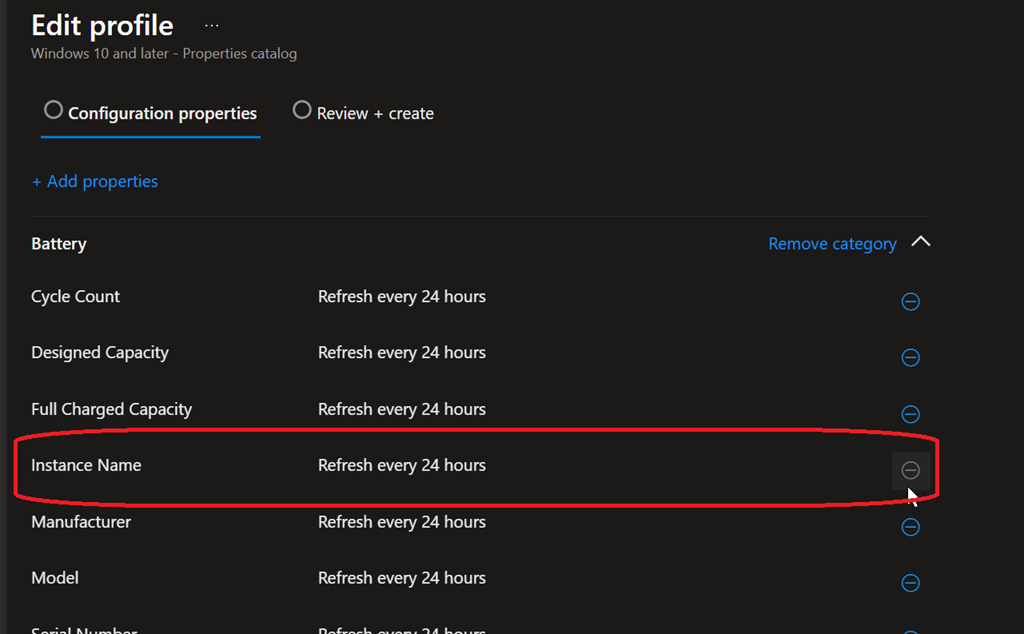
Once deployed the hardware details are refreshed every 24 hours.
Any required properties for a category can not be removed when editing the configuration profile, unless you remove the full category
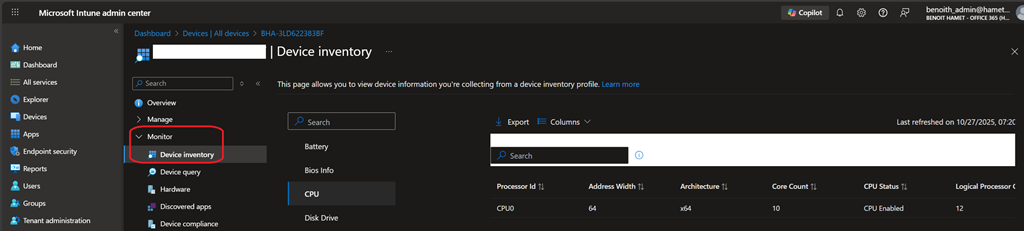
To access the hardware details you have configured access the device object from the Intune portal and access the Device inventory blade under Monitor to select the hardware category you want to get details