You probably have experienced over the past few weeks issues authenticating or accessing Microsoft portals and services.
Sometime the service health portal (Azure status or central portal Microsoft service health status) may not be updated accordingly, neither the Twitter feeds for each services.
This makes investigating bit more difficult to identify if this is something to your tenant, your services (applications) or the platform itself.
Well, good news as now you can report yourself a service or resource level issue to help you notify Microsoft teams to start investigating.
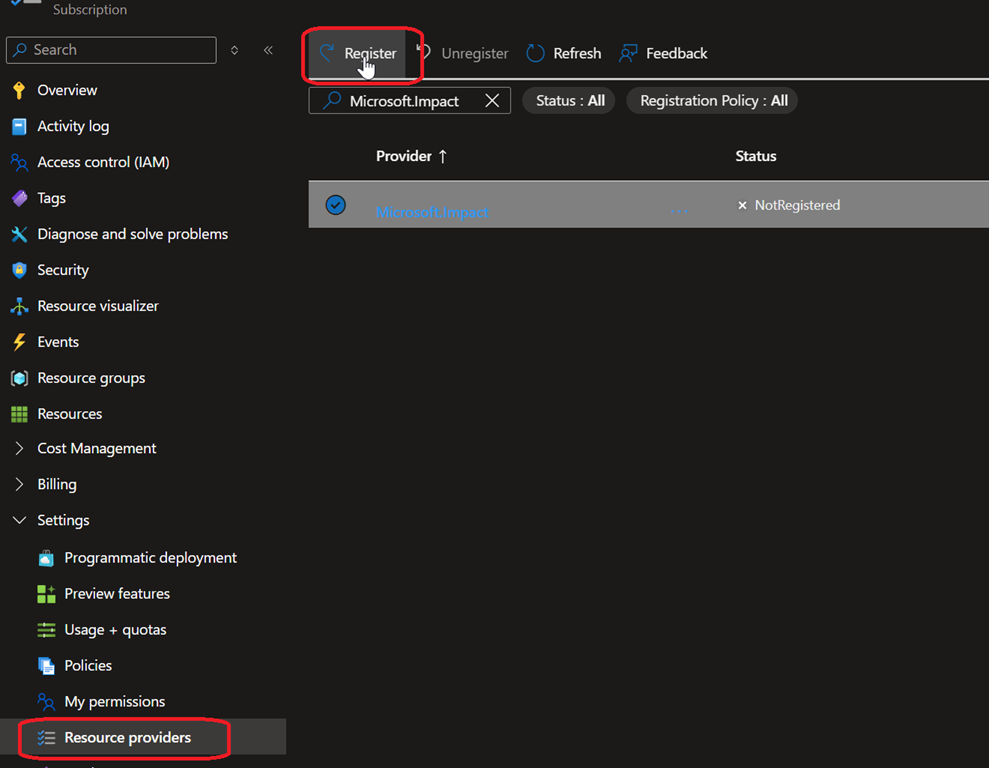
So the first thing before you are able to do such thing is you need to register the Microsoft.Impact provider in your Azure subscriptions (even if the option is available in Entra ID portal Service Health); unfortunately, an Azure subscription is required, so if this is an issue you think is Entra ID only you still need a subscription.
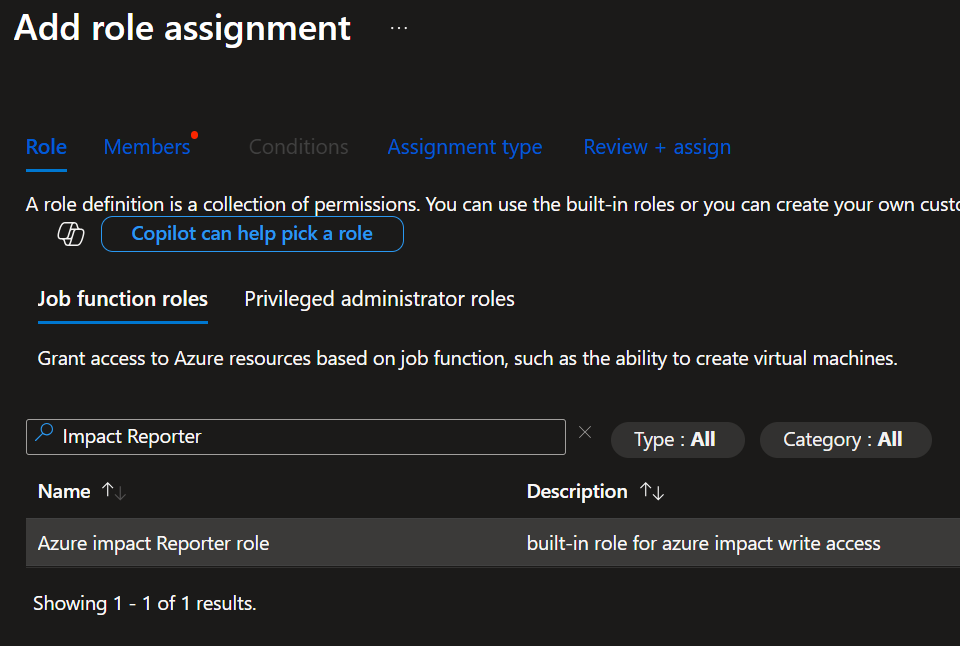
Second, you need to have either the Azure Impact Reporter or Subscription Owner roles assigned to your account.
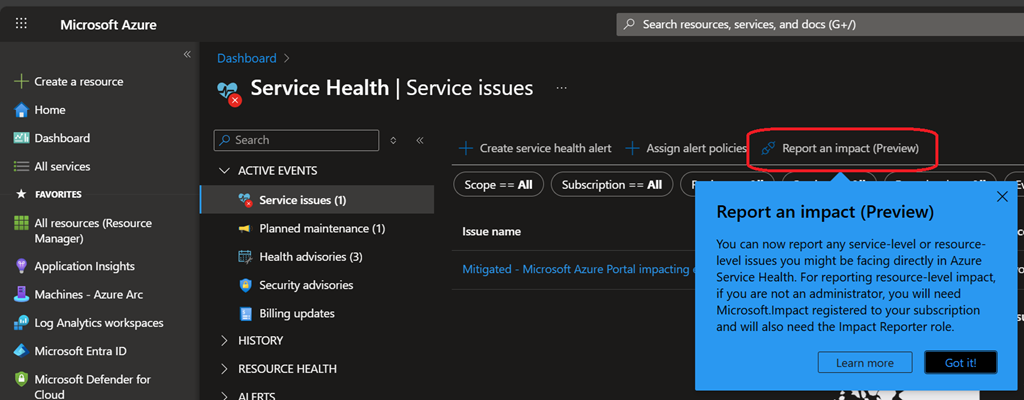
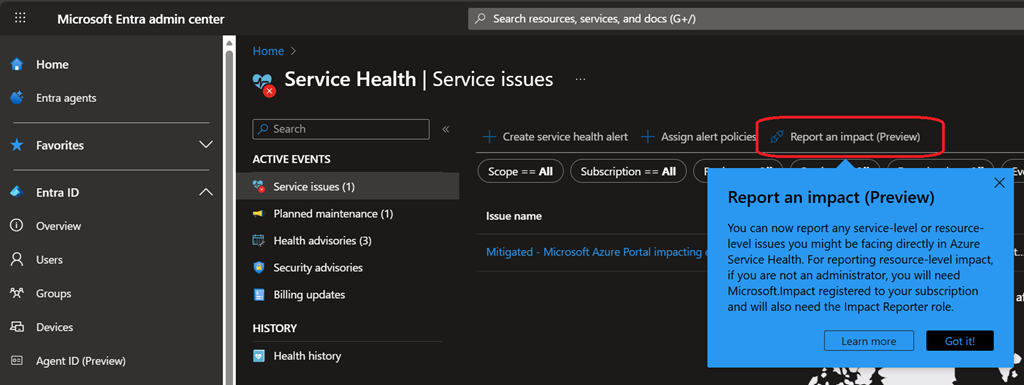
Once the provider has been successfully registered in your subscription and you have the minimum role assigned, you will see the Report an impact option from the Service Health blades (for Azure Service Health – Microsoft Azure or Entra ID Service Health – Microsoft Entra admin center)
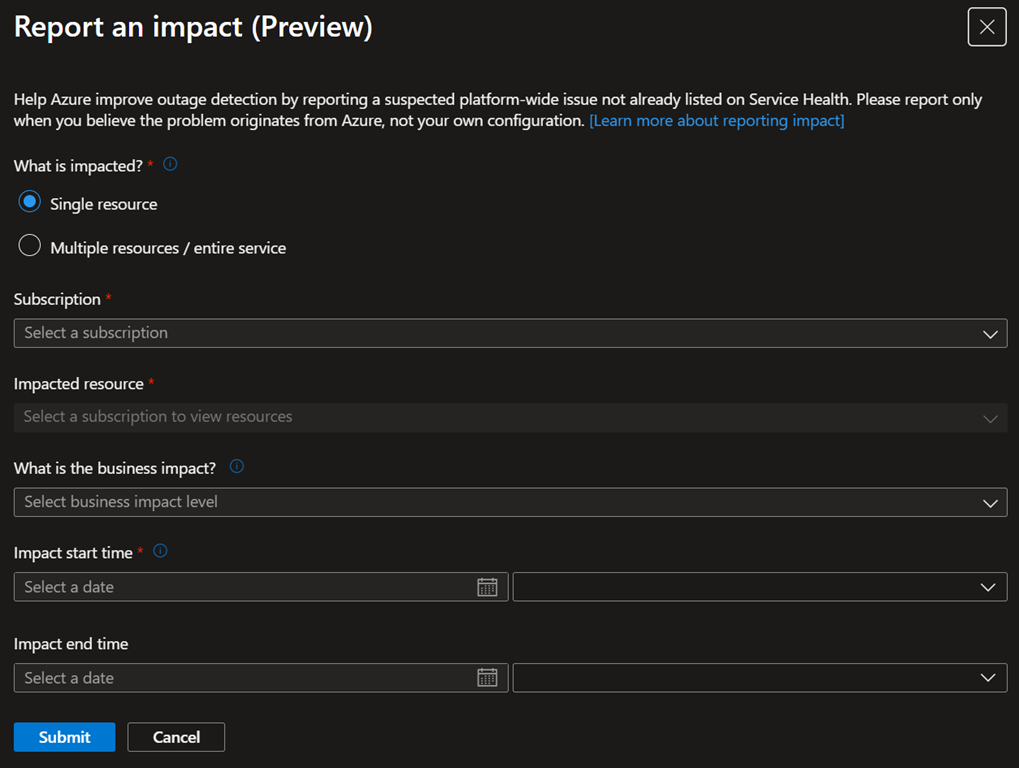
You can then report to Microsoft either a single or multiple resources/services issue
If you try to report service health issue and don’t have the corresponding roles, you will get the following error (screenshot courtesy of Microsoft)
User unauthorized to report an impact on selected resource.

You can get the Azure impact category list from Get Impact Categories: Azure Impact Reporting | Microsoft Learn
Once you submitted an health issue and an outage is identified the health dashboard will be updated to report it.
The good news is you can also use Azure Monitor Alerts by implementing a connector as documented here Azure Impact Reporting: Create an Azure Monitor Alert Connector | Microsoft Learn.
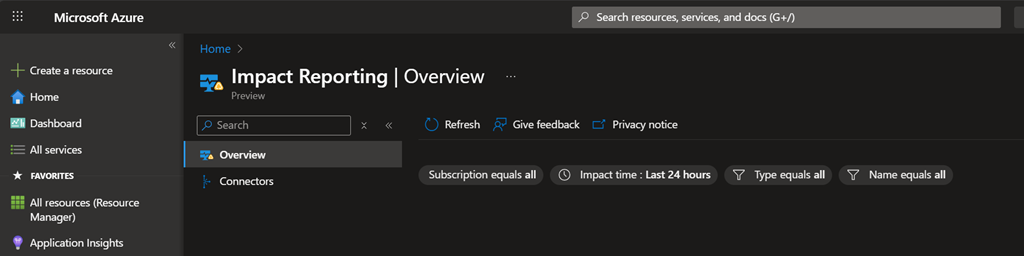
You can follow up your report (either manual or through connector) from the Impact Reporting page (Impact Reporting – Microsoft Azure); you can also access this information using either Rest API or Graph (Azure Impact Reporting: View Impact Insights | Microsoft Learn).