If you are using M365 services, you most likely are using Microsoft Teams too.
Microsoft Teams allows end-users to communicate/collaborate with external users from other tenant.
While external collaboration/access to Teams is by default widely open, this can raise security concern due to raising fake/rogue tenant.
Teams administrators can manage communication with external users by managing External Access policies to allow/block specific external domain.
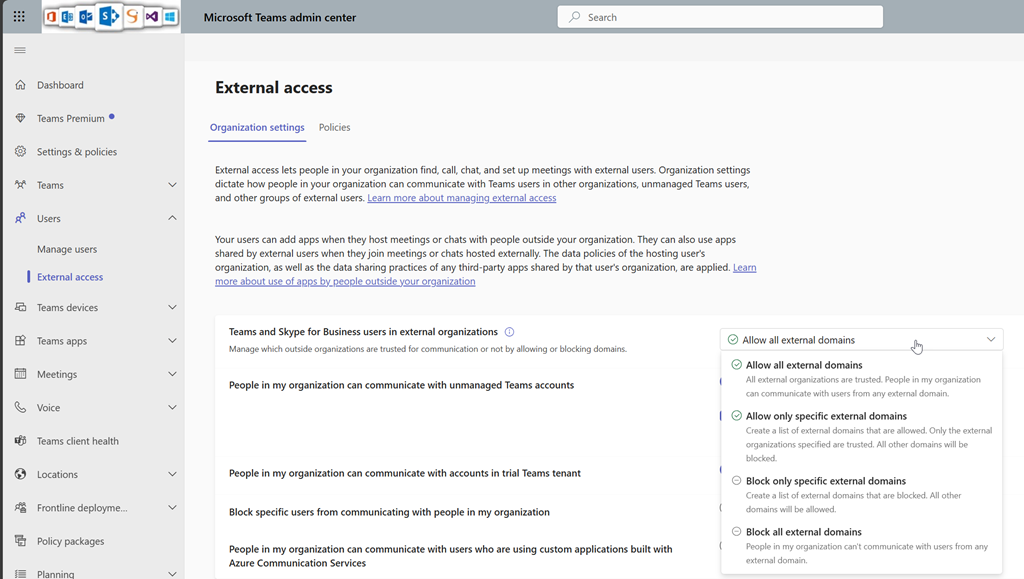
Well, this can lead to a discrepancy between allowed/blocked domain in Teams and in Defender for M365.
Good news as now you can delegate to the security team the management of blocked domain for Teams using the Defender for M365 block list instead.
To do so, as Teams administrator connect to your Teams administration portal (Dashboard – Microsoft Teams admin center) to access the Users\External access to turn on the Allow my security team to manage blocked domains option
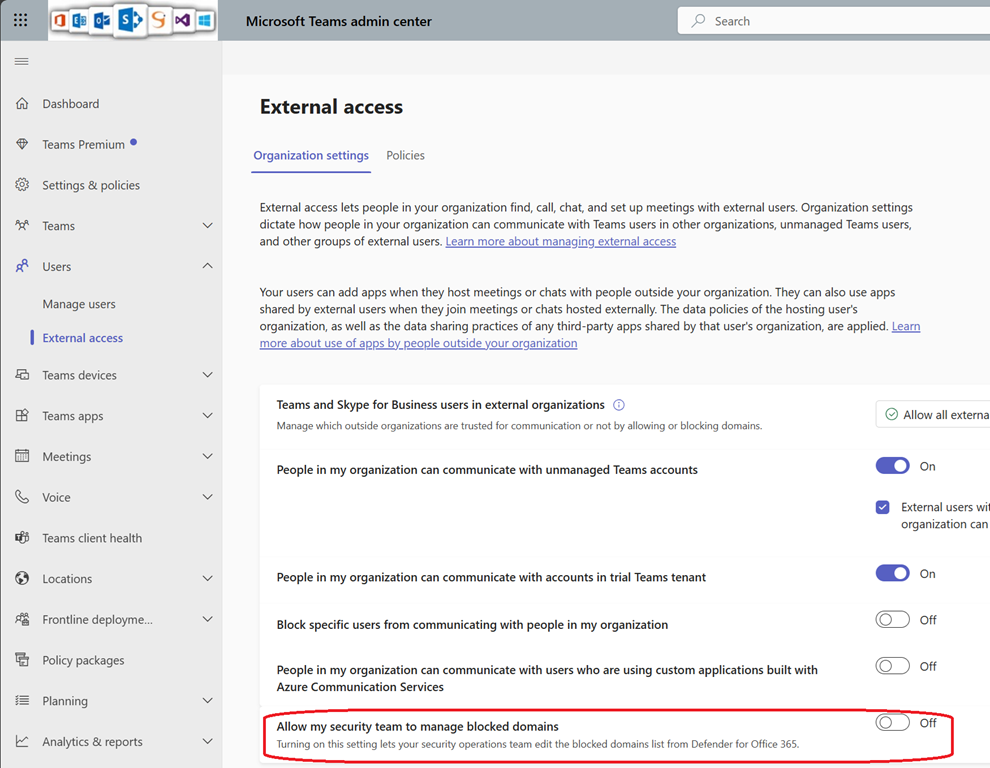
Turning on this option will make external access from all external domain to be allowed until specifically being blocked by the security team using Defender M365.
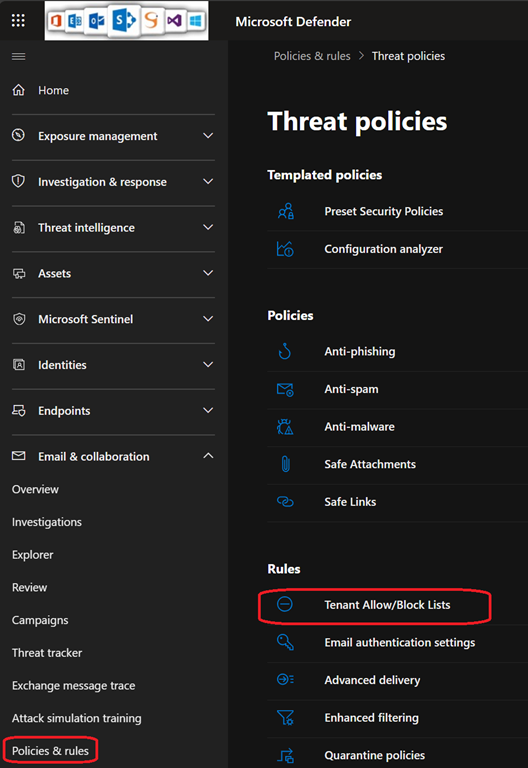
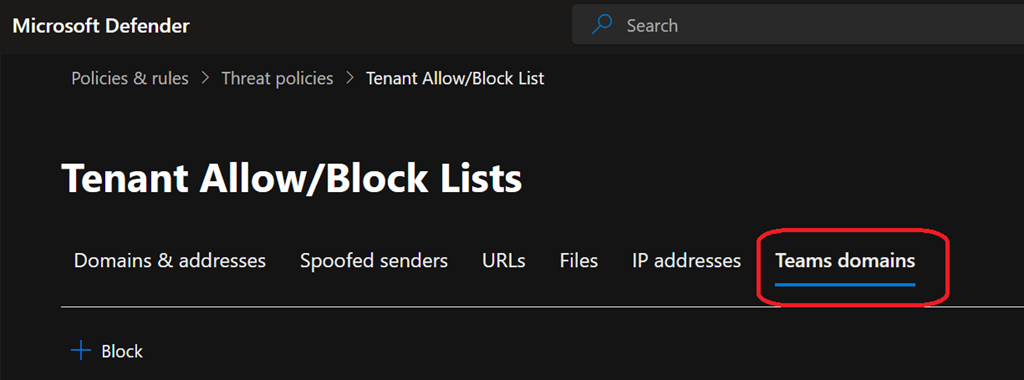
Then security team can manage the blocked domain list from the Security portal (Security & Compliance) under the Email & collaboration\Policies & rules\Threat policies\Tenant allow/block lists blade using the Teams domain tab
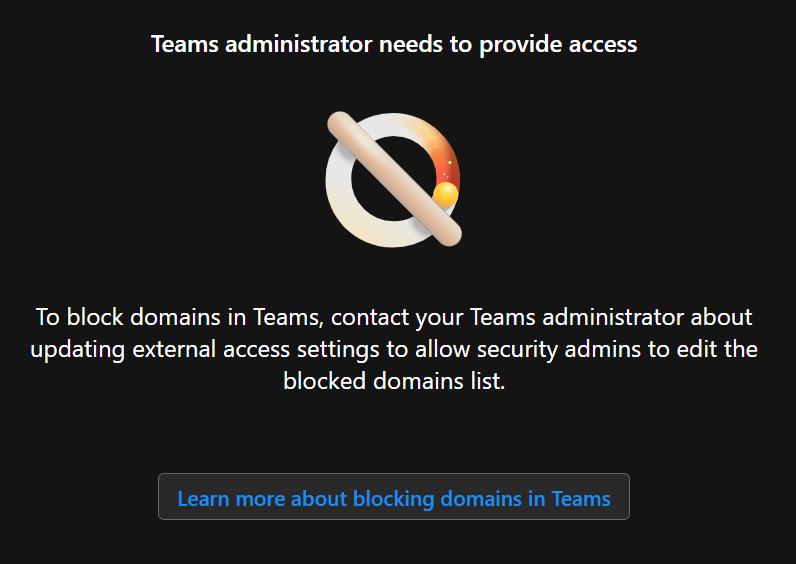
If Teams administrators do not turn on the “Allow my security team to manage blocked domains” options, security administrators will get the below error message
Teams administrator needs to provide access
To block domains in Teams, contact your Teams administrator about
updating external access settings to allow security admins to edit the
blocked domains list.