Identity Governance helps achieving a balance between productivity and security.
Identity Lifecycle Workflow as part of Entra ID provides effective identity governance at scale helping managing identity lifecycle by automating accounts management.
Unfortunately, there was a gap – which is now filled in preview – related to inactive accounts.
These inactive accounts – usually which did not sign in within the last 90 days – may lead to potential security flaws and identity thief – such as phishing.
Well, good news as Entra ID Identity Lifecycle Workflow has been improved with the addition of managing inactive accounts.
First thing first, the licensing prerequisites to enjoy this functionality:
- Entra ID P1 or P2 (prerequisite for next licensing requirements)
- Entra ID Governance (various licensing options available)
- or Entra Suite
- At least Lifecycle Workflows Administrator administration role
Complete details regarding licensing requirements for Identity Lifecycle Workflow available here Microsoft Entra ID Governance licensing fundamentals – Microsoft Entra ID Governance | Microsoft Learn
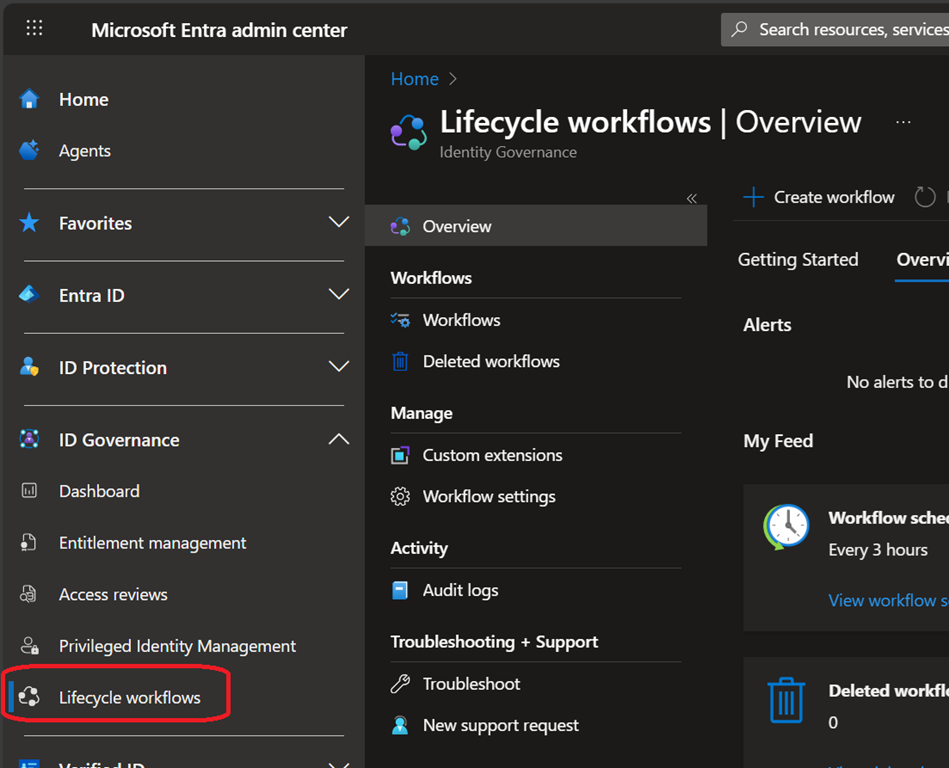
Once you meet the prerequisites, you can create a new lifecycle workflow to manage inactive accounts by connecting to your Entra ID portal (Microsoft Entra – Microsoft Entra admin center) to access the ID Governance\Lifecycle workflows blade
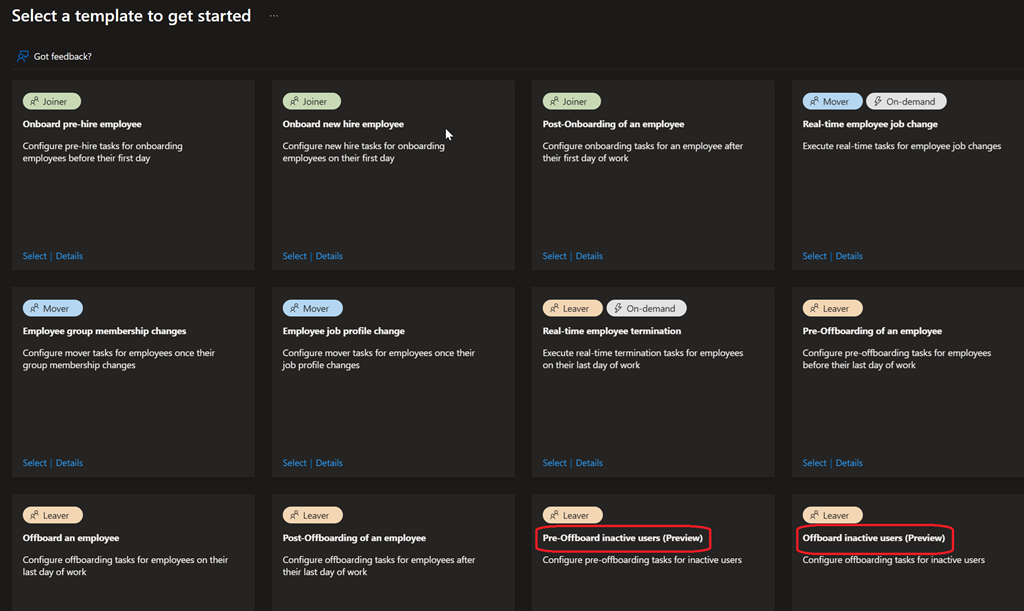
From there create a new workflow based on existing template and select either
- Pre-Offboard inactive users to disable the account after the defined inactivity period (default 90 days)
- Offboard inactive users to delete the account after inactivity period (default 120 days) AND the account is disabled
Off course you can adjust the rules (scope) to add or customize actions
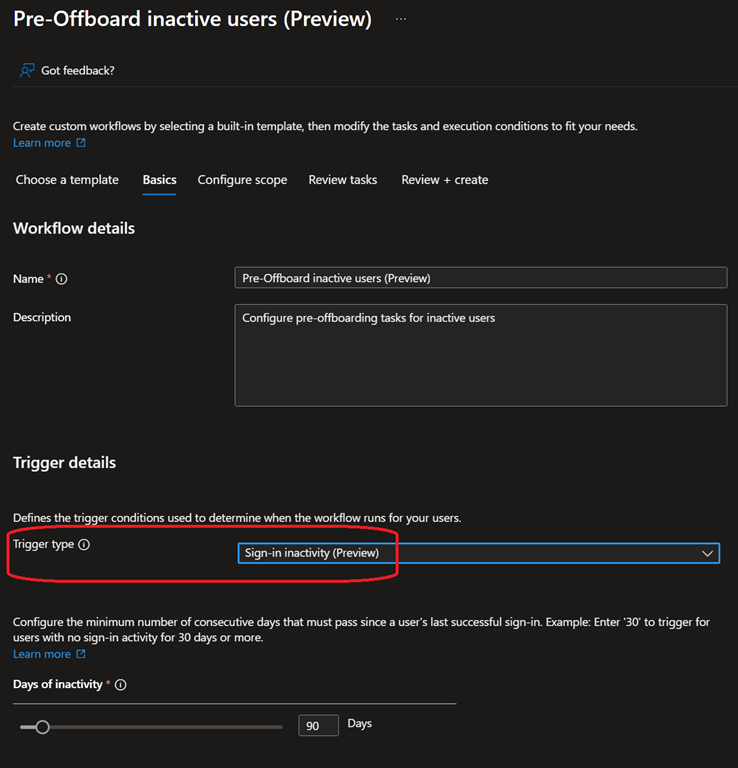
When selecting the corresponding template, double check the trigger type is set to Sign-in inactivity