

Microsoft is rolling out a new security feature to protect Teams users against phishing attacks by scanning URLs (see Malicious URL protection in Microsoft Teams – Microsoft Teams | Microsoft Learn) and files (see Weaponizable file protection in Microsoft Teams – Microsoft Teams | Microsoft Learn) shared in chats and channels.
This is available for all Teams clients – Windows, MacOS, mobile and web.
For many of you with a Defender for Office 365 licenses, it may seems overlapping with the Safe Links (see Complete Safe Links overview for Microsoft Defender for Office 365 – Microsoft Defender for Office 365 | Microsoft Learn) and Safe Attachment (see Safe Attachments – Microsoft Defender for Office 365 | Microsoft Learn) feature.
Unlike Defender Safe Links, this new Teams security feature immediately tells end-users if the link/attachment they received is not safe by showing a warning message to both the sender and recipient(s).
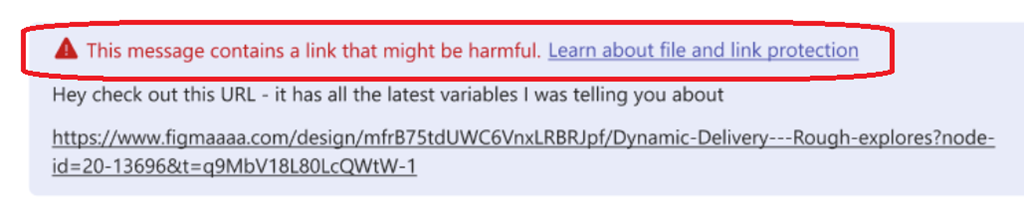
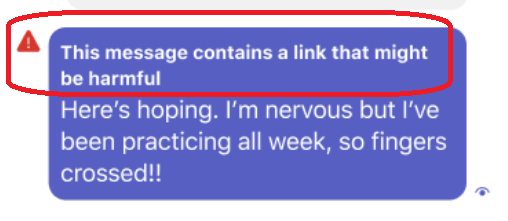

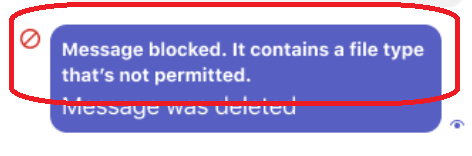
The deployment has already been started for targeted release tenants while general availability is expected to be completed by mid-November.
During the preview (aka targeted release), link protection is applied only if all participants in the conversation have the feature enabled. The feature is turned off by default.
At general availability, link protection is applied when at least one participant has the feature enabled. The feature is turned on by default.
This is a global settings which can be managed only from the global messaging policy.
To manage the link protection feature, connect to your Teams administration portal (https://admin.teams.microsoft.com/) to edit the global messaging policy under the Messaging Safety section
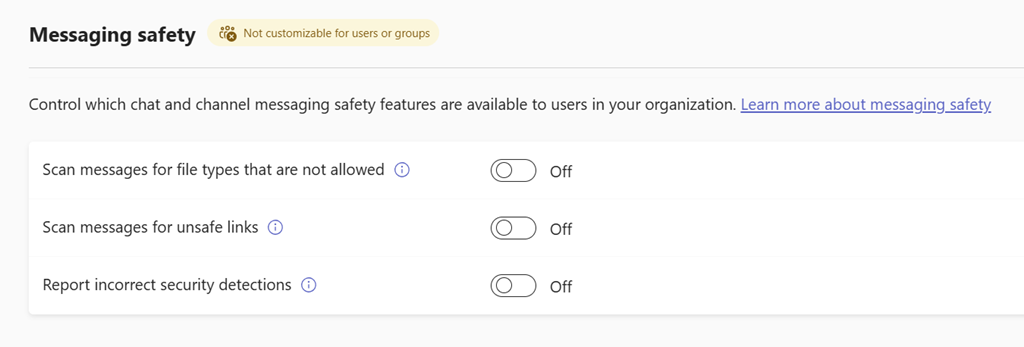
URL scanning using URL reputation-based detection to identify malicious links.