

As you know an Entra ID enterprise application is a representation of a cloud-based software application within your Entra ID tenant.
It allows to integrate your Entra ID tenant with the software platform, allowing single-sign on and access control capabilities through Entra ID as control plane.
Most Entra ID administrators are not usually aware of a powerful capability to increase Entra ID applications security and compliance: Application policies.
This capability is usually unknown because it is (or was) not visible through the Entra ID portal and could only be managed using Microsoft Graph, which most of the time is not really well known by administrators.
Well, good news as now you can manage Entra ID application policies directly from the Entra ID portal; this should help administrators to increase the security level of these applications as they usually have permissions to access tenant and users information as well as action some operations.
As part of the options available to secure applications, you can:
- block addition of password: this option quickly increase security configuration of applications as password are not a safe and strong method for authentication and usually are being reused across the platform. This is also know as client secrets, usually used/configured when manually registering a new application (such as application proxy)
- restrict maximum password lifetime: if use of password for application is still allowed, setting a password lifetime will force to regularly application password change – similar to the AD user password policy but unlike user account, applications are usually not properly monitored and may be used for development and/or testing and then forgotten
- block custom passwords: custom passwords are set and defined by administrators or developers and usually reused (similar to your default WiFi/modem password to access administration portal). Blocking custom passwords and letting the system to generate it is better
- restrict maximum certificate lifetime: certificates are more secure and strong for authentication but usually are generated for a long lifetime period. Forcing a shorter (or maximum) lifetime reduces the risk of leaving an application which is no longer in used because it was tested or developed
- block custom identifier URIs: identifier URI identifies Entra ID application. It must follows a specific format but it can be customized and a threat actor could generate such URI to trick application and grant access to your tenant
- block identifier URIs without unique tenant identifiers: this option is very important for application configured for multi tenant as every Entra ID application must be hosted on existing Entra ID tenant which has its own identifier
To start looking at your configured Entra ID application policies and look at adjusting when needed, you need to connect to your Entra ID management portal (https://entra.microsoft.com/) to access the Enterprise apps\Application policies blade
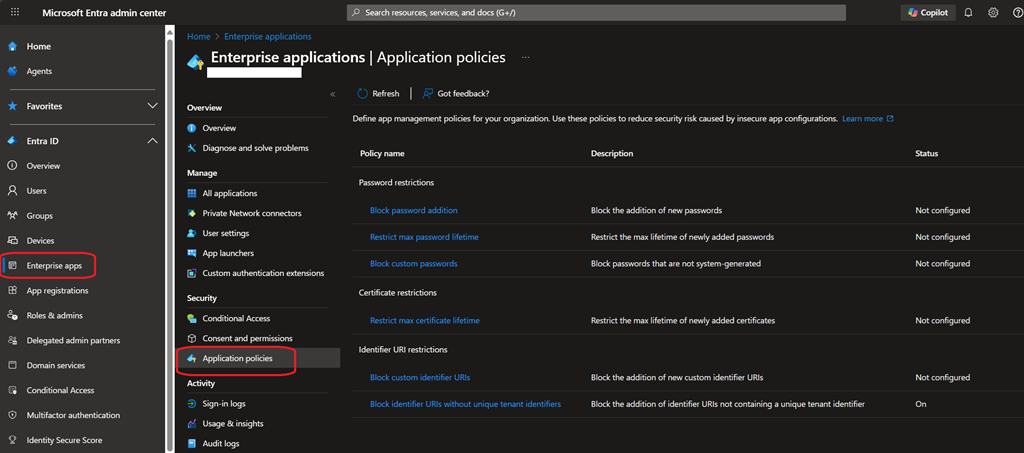
As best practices and recommendations – which obviously need to be adjusted for your specific needs and context – here are few recommendations:
- block addition of password (aka application secret); instead as much as possible use either certificate based (see later for recommendation) or managed identity
- if you still need to use password, set the lifetime to a short period of time – especially in context of testing or development
- block custom identifier URIs as URIs are usually generated by Entra ID, blocking custom URI helps protecting application by blocking threat actors
- block identifier URIs without unique tenant identifiers as this is very important in multi-tenant application context to avoid a threat actor to claim to be a legitimate application and gain access to your environment
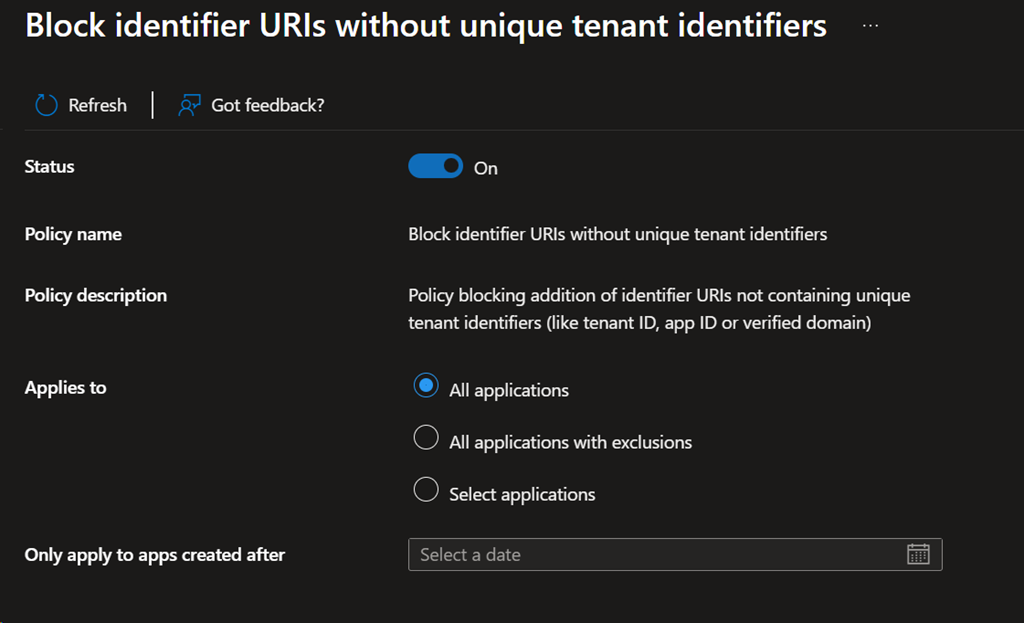
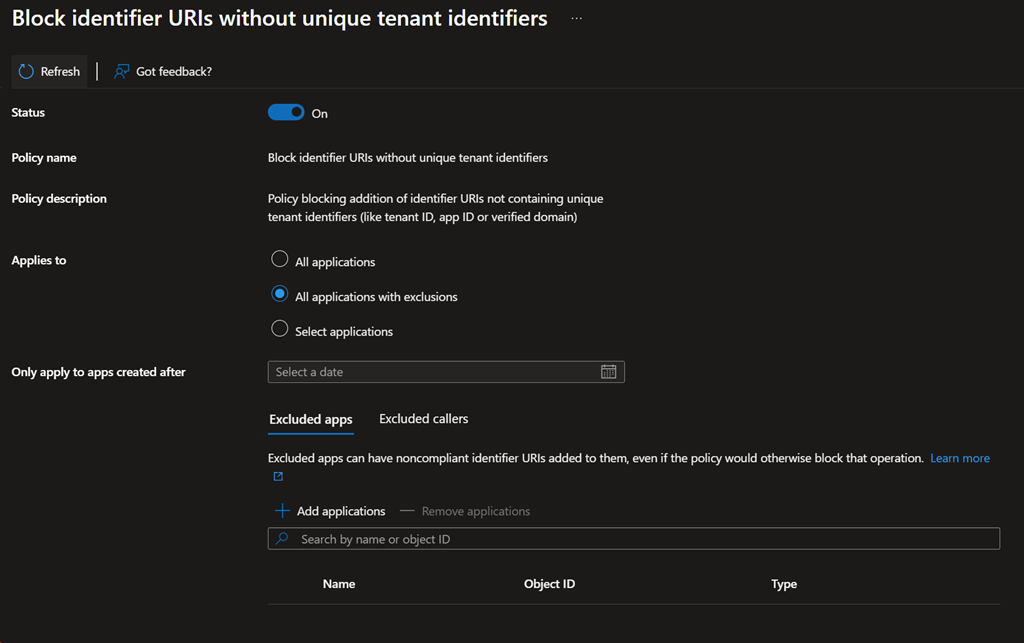
For each policy, you can define the scope of application to allow some exception when needed, including apply the policy for apps created after a specified date
I don’t see this option in any of my tenants, nor do I see it in the ‘Preview features’, am I missing something?
Hello Andy
no, this is not in preview.
I have checked different tenants I have access to and they have the option available in the portal.
There could be some delay for your tenant to get the UI or something else went wrong; maybe a good option it to contact MS support (this should be free as included with your Entra ID licensing)