

As you know, Azure Active Directory is the heart of the Microsoft Cloud services for authentication, authorization and access management controls.
Well, sometime it is difficult to keep up with updated (or outdated) best practices and/or recommendations.
Well to help keeping up and provide customized recommendation to your own Azure AD tenant a new feature in preview has been introduced called Azure AD recommendations.
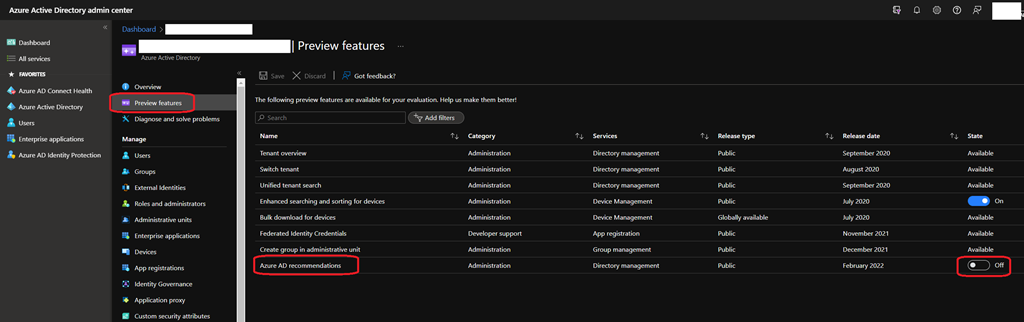
To turn it on, connect to your Azure AD portal (https://aad.portal.azure.com/) and access the Active Directory\Preview features blade where you will find the Azure AD recommendations preview to turn on.
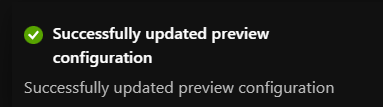
Once you got the confirmation (screenshot right above), the Azure AD recommendations is immediately available from the Active Directory\Overview
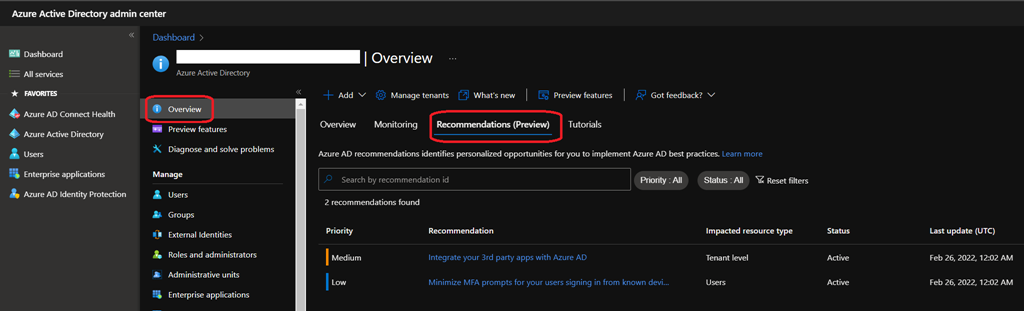
The recommendations engine is running every 24 hours to check your tenant and review against current best practices and recommendations.
At this stage of the preview, the only recommendations provided are:
- Help you identify opportunities to implement best practices for Azure AD-related features
- Improve the state of your Azure AD tenant
More will come over time.
When you have recommendations, you can click on it to get more details and then decide how to mark it, either completed, dismissed or postponed.
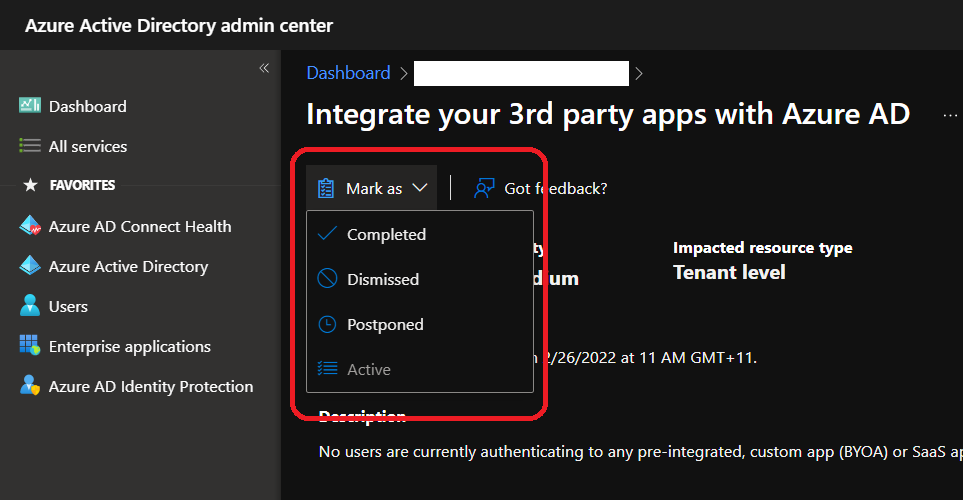
If you choose to mark a recommendation as dismiss, you will be asked why you dismiss it; this will help improve recommendations for you and obviously other customers.
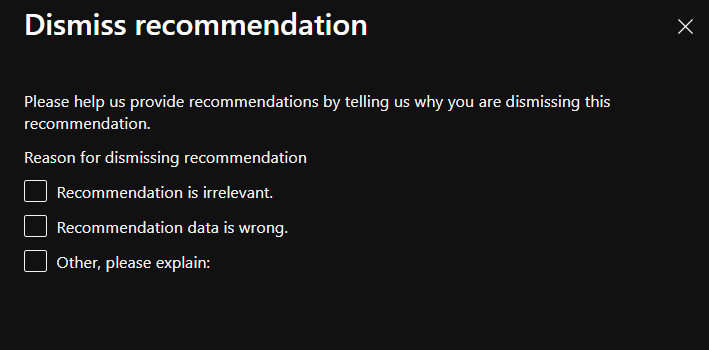
NOTE I’d recommend to also check the Other reason to provide explanation on why you are dismissing the recommendation; otherwise you can not provide comments.
The active status becomes available only if you have either completed, postponed or dismissed a recommendation.
Enjoy this new feature to help you ensuring your Azure AD keeps up with current best practices or recommendations.