

As you know, Azure Active Directory is the heart of identity and access management to access Microsoft cloud platform services.
If you have Azure AD P2, you also have the access review feature, which you should use to review access to your applications, groups or Teams (including for guest users) to ensure people continue to have access to only what they need.
Well, the access review feature has just been updated to allow you configure multi-stage review.
To take advantage of it, connect to your Azure AD portal (https://aad.portal.azure.com/) and access the Azure Active Directory\Identity Governance\Access reviews tab to create an access review.
When creating the review, at the step Reviews enable the new option Multi-stage review; this will then allow you to configure up to 3 review stage
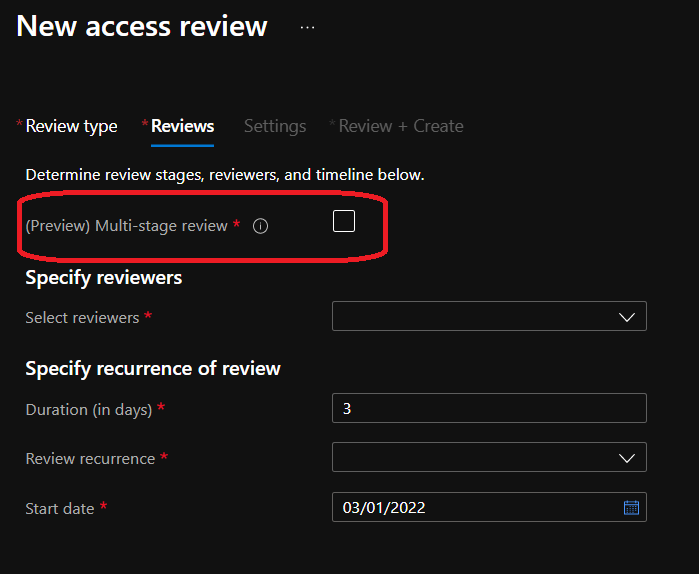
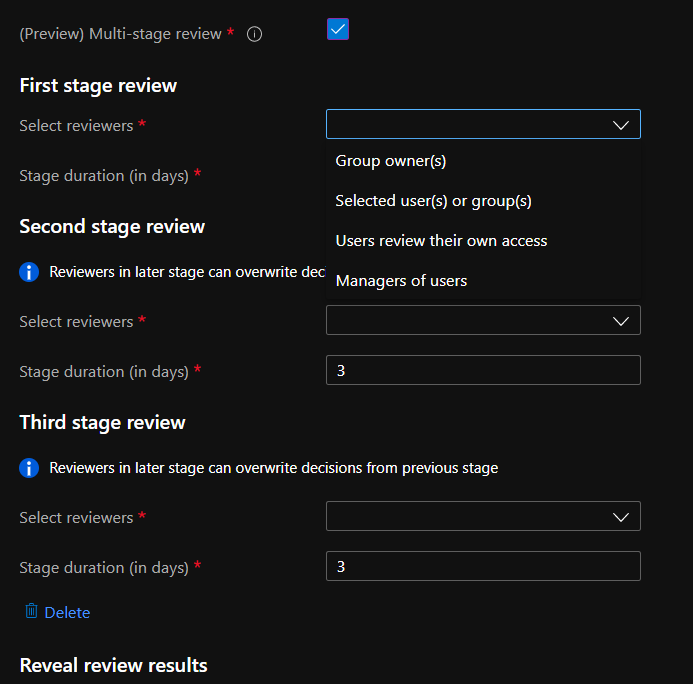
This can be useful if you need to have complex review process to meet certification and/or audit requirements.