

Recently I have been running a problematic 100% disk active time on my System Center Configuration Manager (SCCM) environment.
SCCM has been running quite smoothly for few years; running on Windows Server 2019 with SQL co-located.
One day I noticed the disks, where the databases are save, were continuously active (100% disk active time) and this was causing lot of troubles – from very slow performance to errors processing SCCM logs and activities.
After digging around myself, I ended working with the Microsoft support.
During the investigation we discovered the issue was occurring every time just after the synchronization of the WSUS database with the SCCM site database.
As first, I have been requested to run few queries (against the SUSDB) to re-index and clean the SUSDB (which did not help); attached the queries for references, to be executed in the following order (they can also be used to clean up your SUS database  )
)
|
1. Re index the SUS database |
|
2. Remove all hidden updates |
|
3. Remove all obsolete updates |
|
4. Remove all superseded updates |
| 5. Execute one more time the re-indexing query (step 1) |

As these queries did not help, we ended with the next action plan (which solved the issue)
1. Shutdown the SMS_WSUS_SYNC_MANAGER using the Configuration Manager Service Manager tool from your SCCM\Monitoring workspace
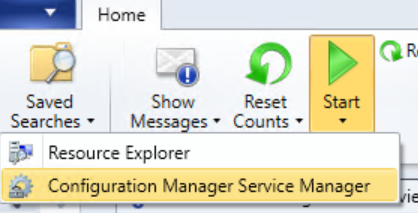
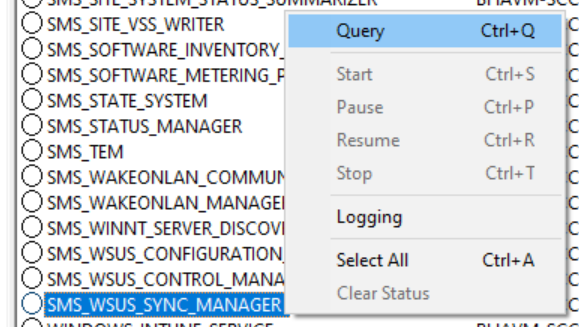
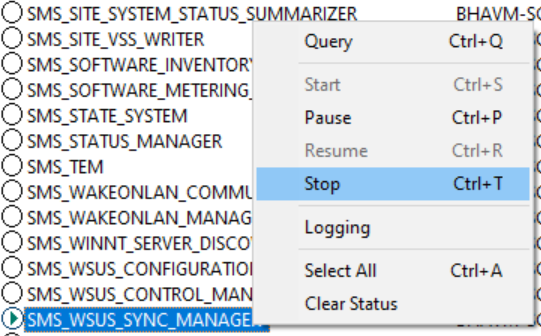
2. Rename (temporally) the wsyncmgr.dll (located in C:\Program Files\Microsoft Configuration Manager\bin\X64)
3. Run the following queries against the SCCM database
sp_who2
Identify the SPID for the SMS_WSUS_SYNC_MANAGER process
query kill <SPID of the WSUS Sync Manager process – from the above query)
and finally the last query
WHILE EXISTS ( select 1 from CI_ConfigurationItems with (nolock) where IsTombstoned=0 and IsExpired=1 and CIType_ID in (1,8) and SourceSite=dbo.fnGetSiteCode() and isnull(DateLastModified, DateCreated)<dateadd(day, -7, getutcdate())
and CI_ID not in (select CI_ID from v_CIAssignmentToCI with (nolock)) and CI_ID not in (select ToCI_ID from CI_ConfigurationItemRelations with (nolock) where RelationType!=6))
BEGIN
;WITH ExpiredSoftwareUpdatesToTombStone AS
(
select TOP 100 * from CI_ConfigurationItems with (nolock) where IsTombstoned=0 and IsExpired=1 and CIType_ID in (1,8) and SourceSite=dbo.fnGetSiteCode() and isnull(DateLastModified, DateCreated)<dateadd(day, -7, getutcdate())
and CI_ID not in (select CI_ID from v_CIAssignmentToCI with (nolock)) and CI_ID not in (select ToCI_ID from CI_ConfigurationItemRelations with (nolock) where RelationType!=6)
)
UPDATE ExpiredSoftwareUpdatestoTombStone SET IsTombstoned=1
END
Once completed, rename back the wsyncmgr.dll and restart the server and the issue has been sorted.