

As you probably know now, you can connect to Azure virtual machines using either remote desktop (RDP) or SSH without being obliged to allow such management ports to be opened with network security group using Azure Bastion.
Until then you could authenticate to the virtual machine running Windows using either password from a key vault or a VM password (even if you could use a domain or Entra ID account – see Sign in to a Windows virtual machine in Azure by using Microsoft Entra ID – Microsoft Entra ID | Microsoft Learn).
Well, good news as now you can use Entra ID to authenticate against Bastion when login on the virtual machine.
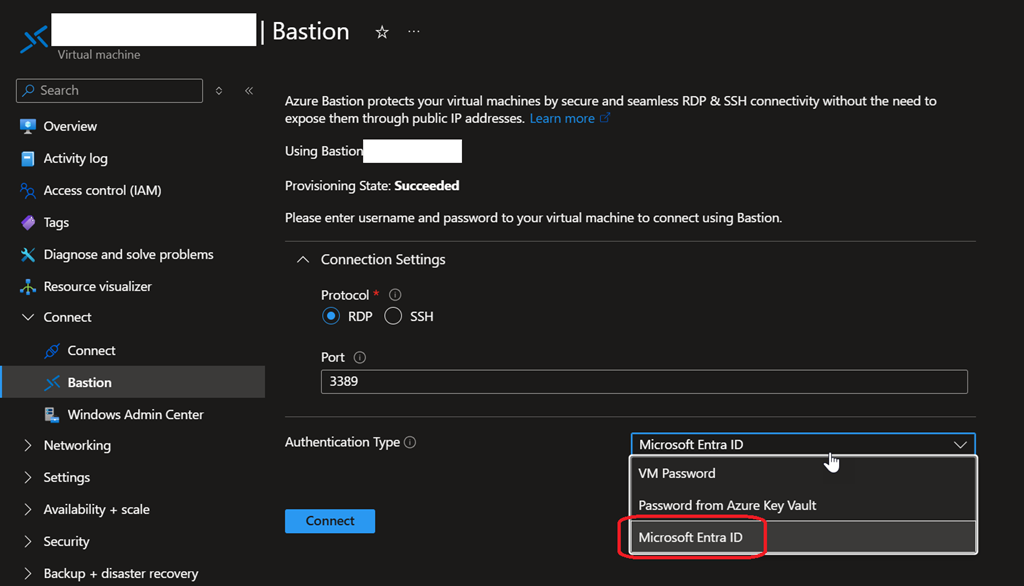
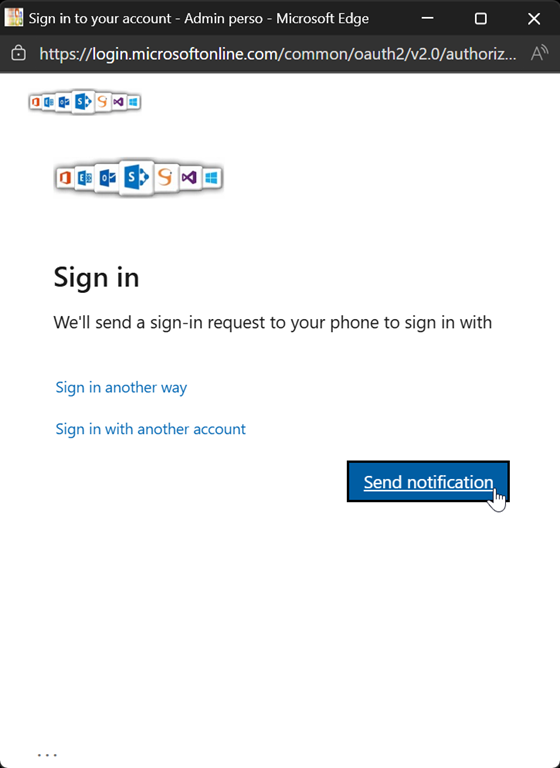
When you select Microsoft Entra ID as authentication type you will get a pop up asking to authenticate using your Entra ID account

This new authentication mode is available in preview right now but before you can use it you must meet the following requirements:
- Azure Bastion SKU higher than Basic; this means Developer (free) SKU does not allow you to use Entra ID as authentication type
- Available for RDP protocol only
- AADLoginForWindows extension is installed on the virtual machine; should be the case if you have enabled the system assigned for identity during or after the virtual machine creation
- User logging on the VM using Entra ID Bastion authentication has either:
- Virtual Machine Administrator Login role, or
- Virtual Machine User Login