

If you have been using M365, you probably already know that you are able to recover some deleted objects.
Until now, deleted group recovery was only possible for M365 Groups (including Teams) but not for security, mail-enabled or synchronized groups.
After the recent recovery feature update to recover deleted Conditional Access policies and locations (see Entra ID – You can now list and recover deleted conditional access policies (updated)), a new improvement has just been added to the recovery capability.
This improvement now allows you to recover cloud-based security groups from Entra ID.
NOTE don’t forget you can now change the source of authority for synchronized groups to be Entra ID instead of Active Directory (Entra ID – You can now change the source of authority for synced groups (preview)).
It still not allow mail-enabled or distribution groups
To recover deleted groups, you can use either the Entra ID portal, PowerShell or Microsoft Graph.
From the Entra ID (Microsoft Entra – Microsoft Entra admin center) to access the Groups\Deleted groups blade
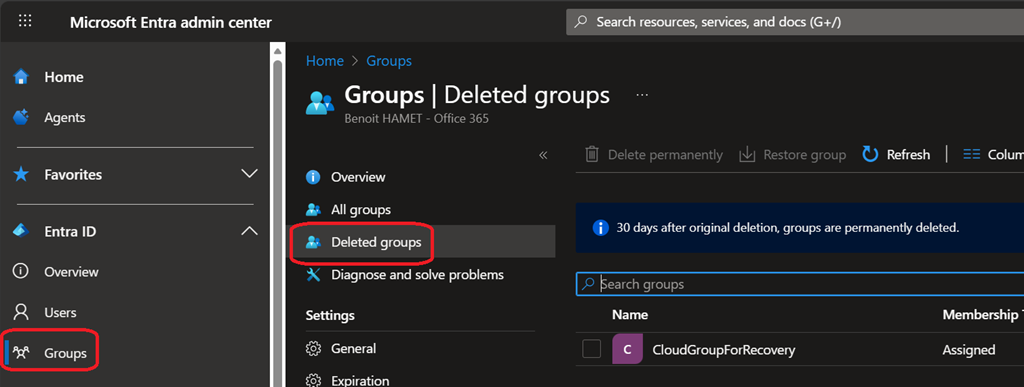
When using Microsoft Graph, see the below documentation
- Delete group – Microsoft Graph API – Microsoft Graph v1.0 | Microsoft Learn
- List deleted items (directory objects) – Microsoft Graph v1.0 | Microsoft Learn
- Restore deleted directory object item – Microsoft Graph v1.0 | Microsoft Learn
- Permanently delete an item (directory object) – Microsoft Graph v1.0 | Microsoft Learn
As always with recycle bin capability, deleted groups can be recovered up to 30 days after deletion.
Expected Schedule
- Public preview from late October 2025 to early November 2025
- General availability early February 2026