

When the move to the cloud, customers had on-premises footprint with especially messaging systems – such as Exchange Server, which leaded to implement Exchange hybrid configuration with directory synchronization.
Years later, there is still need to maintain a low level Exchange on-premises footprint to manage remote mailboxes.
Even if Microsoft has made so progress by allowing a light weight Exchange administration tools installation (see Manage recipients in Exchange Hybrid environments using Management tools | Microsoft Learn) it was not quite good enough as it requires use of Exchange PowerShell instead of a nice UI.
After introducing the change of source of authority for group management (see Entra ID – You can now change the source of authority for synced groups (preview)), Microsoft is now introducing ability to manage remote mailboxes from Exchange Online.
This is done using the new IsExchangeCloudManaged attribute to indicate what will be the source of authority for managing Exchange attributes.
By default the value of this attribute is set to false, which tells Active Directory and Exchange on-premises are the source of authority for the Exchange attributes management.
At first, there is no organization level attribute (scheduled for September).
NOTE during the first phase, there will be no attribute write-back to on-premises, which can lead to some out of sync details on-premises.
The write-back function will come at a later stage and will have to replace your Entra ID Connect with Entra ID Cloud Sync.
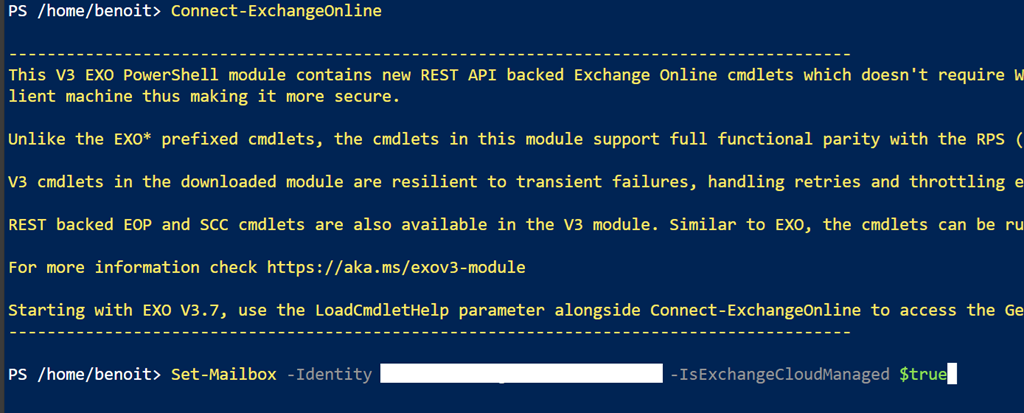
To switch a remote mailbox source of authority, connect to Exchange Online using PowerShell and set the IsExchangeCloudManaged attribute to true.
From there, you will be able to edit Exchange attributes directly from Exchange Online – such as adding aliases or hide from the GAL
Connect-ExchangeOnline
Set-Mailbox –Identity <mailbox email address> -IsExchangeCloudManaged $true
This option is simplifying Exchange Online mailboxes and fill the gap in moving to removing fully remove Exchange on-premises.