

If you plan to use MBAS to save backups on local drives, you must first assigned the storage space
- Open the MABS console and go to the Management section


- Then click on Disk Storage and Add new storage
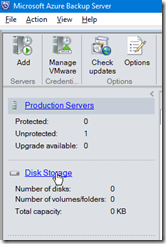

- If you have no available storage displayed then you need first to add disk to the Azure Backup Server

- Once you have added the hard drive, repeat these steps then MABS will format the drive for his own use – it goes without saying that if there has been any data on this drive, this will be lost
![image_thumb11[1]](/Lists/Posts/Attachments/889/image_thumb111_2_7FD90FEB.png "image_thumb11[1]")


The drive is being formatted using ReFS
You will not be able to access the content saved to the drive.