

It has been a while since the Office 365 admin mobile application (on Windows Phone, iOS and Android) has been published.
Since then, there has been few (not to say no) updates while Office 365 services were evolving very quickly.
Finally, today, this app has been updated.
You still CAN NOT completely manage your Office 365 tenant (at least using the Windows Phone app) as you should expect due to the application name but you have much more than the health dashboard we used to have with previous builds.
Authentication
I have been using issue with my federated account to authenticate through the application, while my federation platform is perfectly working. A good news, it seems that multi factor authentication is supported
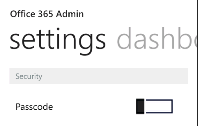
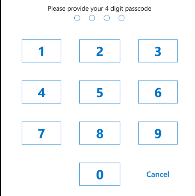
If you don’t use MFA and want to secure the access to the app, you can also setup a 4 digits PIN code you will have to enter next time you start the application (in addition of the user/password couple)
Home Page
The new main page (dashboard) of the application displays the number of users with NO licenses (good to know but you can not associate a license using the app), the health, the message center AND the support section which gives you access to latest service request opened AND the support phone number 

Users Management
If you open the Users button, you will get the list of your Office 365 user accounts (cloud or synchronized) BUT you can ONLY manage cloud accounts (password reset, edit, license assignment…). For synchronized accounts, you can do NOTHING

Cloud Account


Synchronized Account

Health
The health section displays to health dashboard, allowing you to know if there is any service(s) issue(s) in progress and their status

Message
This section displays the message published on the message center on the Office 365 administration portal

Support
Finally, the support section displays the service request you have currently opened/closed (recently), and much more important the phone number of the support service for your country
