

With Office 365 Exchange Online, it is possible to receive all your emails from other addresses.
To do so, connect to the Office 365 portal and open Outlook Web Access

Then, open the Options menu

From your account page, click on Connected Accounts
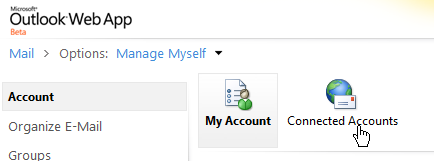
Click on the New button and follow the wizard

Enter the email address to receive on your mailbox and click on the Next button
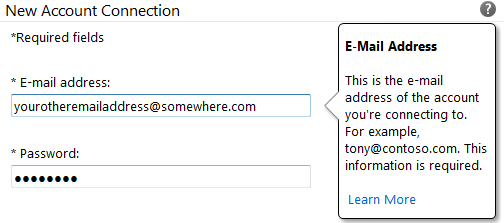
The system is looking for your email address

If the system is unable to connect to this email, you can enter manually the POP / IMAP connection settings by clicking on the POP link or IMAP link, depending of the connection type to use

Set the connection settings to the mailbox

Click on the Save button

Once the system has added your email, you receive a confirmation and it starts downloading message from the mailbox

