UPDATED February 20th, 2026, you can now use the Entra ID portal to deactivate/reactivate registered applications.
This feature is currently in preview with its own support SLA and is not (yet?) also available through the Entra ID portal.
As you know to deliver SSO authentication, Entra ID uses Enterprise Applications (either from catalog, application proxy or registered ones).
Administrators or application owners can now safely pause access to a registered application to temporarily block access while keeping metadata and currently active tokens without having to delete the application.
When an application is deactivated, it immediately stops receiving new access tokens, but existing tokens remain valid until they expire.
This can be useful for security investigations, temporary suspension of suspicious applications.
To be able to deactivate/re-activate Entra ID applications, you need to use Graph API (either with PowerShell (PowerShell Gallery | Microsoft.Graph) or Graph Explorer (Graph Explorer | Try Microsoft Graph APIs – Microsoft Graph))
You also need the below permissions:
- either Cloud Application Administrator or Application Administrator administration role
or
- Application.ReadWrite.All (for delegated applications) or Application.ReadWrite.OwnedBy (for owned apps only)
Using Entra Portal
Connect to your Entra ID portal (Microsoft Entra – Microsoft Entra admin center) and access the App Registration blade (direct link App registrations – Microsoft Entra admin center) and select the application you want to deactivate
Once on the application blade, click the Deactivate button
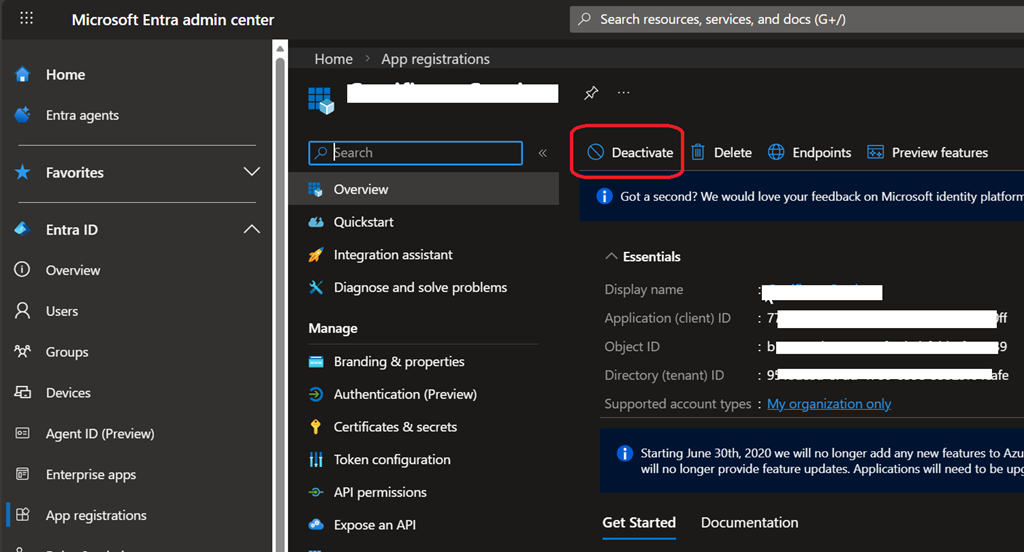
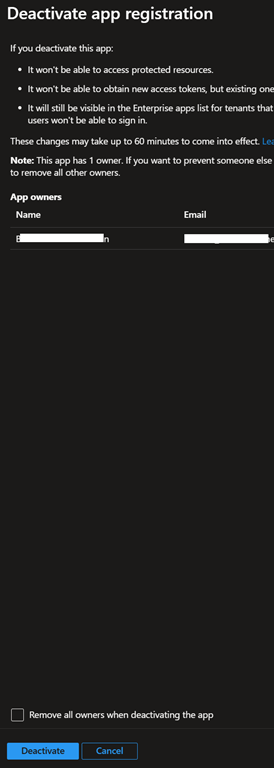
When deactivating the app, you will be asked to remove app owners to avoid them to reactivate the application
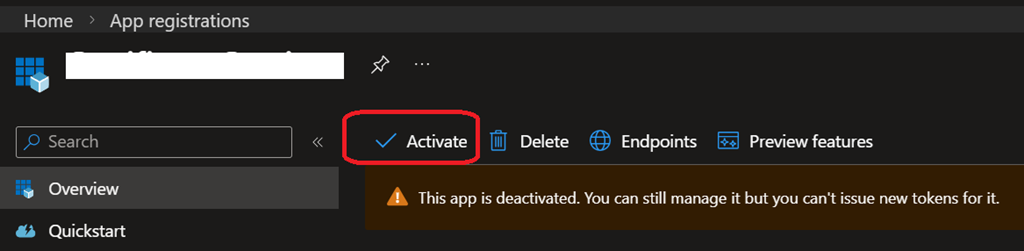
Once the application is deactivated, a banner is being shown to notify any administrators that the application is no longer available for sign-in but can still be managed

To reactivate a deactivated application, do the same as above but this time click on the Activate button
Using Graph API
You will need to get the registered application object ID either from the Entra ID portal or Graph API (GET https://graph.microsoft.com/v1.0/applications})
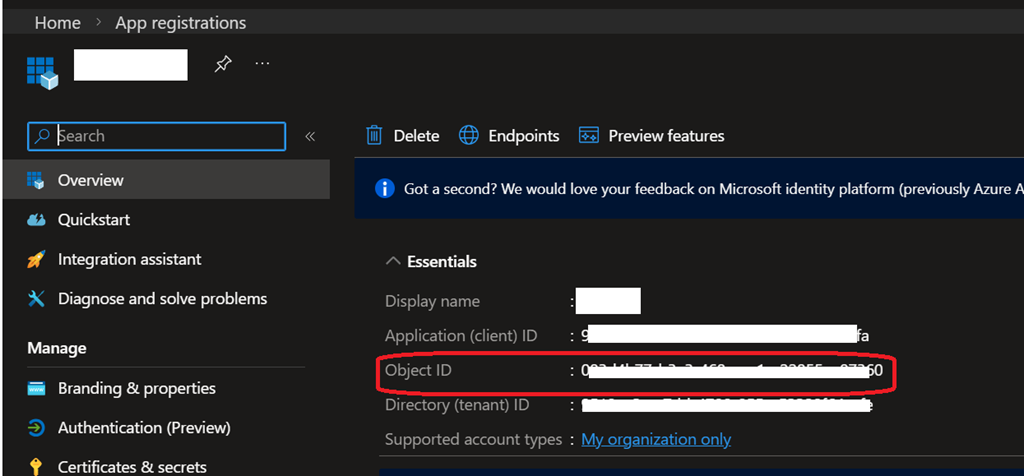
Once you have the object ID of the application you want to deactivate, run the below in Graph API
PATCH https://graph.microsoft.com/beta/applications/{registeredapplicationObjectId}
{
“isDisabled”: true}
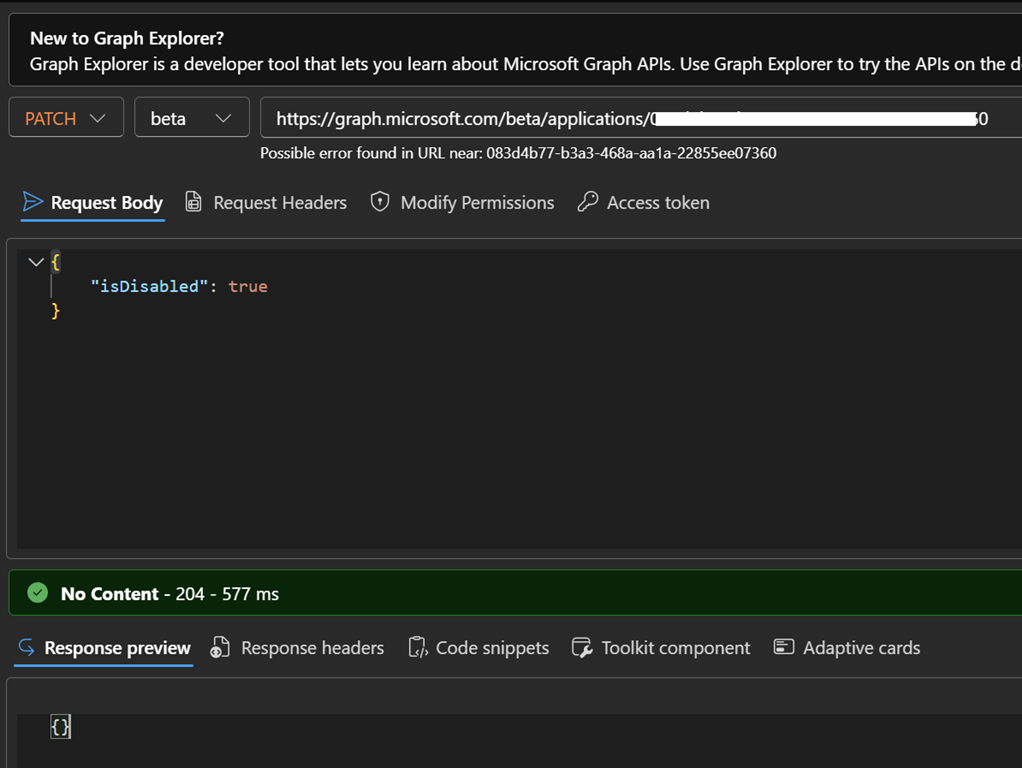
To re-activate the application, you run the same but with “isDisabled” : false
You can also (as it is not available through the portal) list applications in disabled state using the below
GET https://graph.microsoft.com/beta/applications?$filter=isDisabled eq true
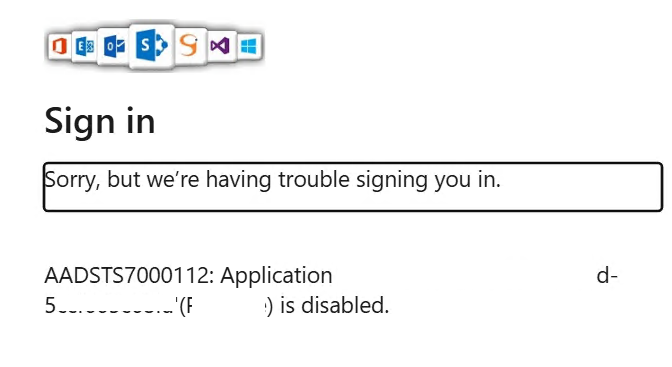
When an application has been disabled, when users try to access it they will get the below error
Sorry, but we’re having trouble signing you in.
AADSTS7000112: Application ‘<removed – application id> (<removed – application display name>) is disabled.