If you are using Microsoft cloud services, such as Azure and/or M365, you already know that authentication and access control is based on Entra ID.
You also then probably know that you can register custom applications to integrate with Entra ID authentication and access control capabilities.
Entra ID can also be used for segregating corporate (workforce) and customers (B2C or B2B) access to your application using Entra ID External Identities tenant.
Until now, tenant branding (sign in/out, registration pages) would apply to all applications within the tenant but could not be customized for specific applications.
As there is situations when application must have a different branding within the same tenant, Entra ID External Identities capability has been improved to allow create custom branding and assign it to selected application(s).
NOTE it is important to note this apply only for External Entra ID tenant type, not for Workforce.
To use this ‘application-based’ branding you first need to have an external tenant and register applications.
Limitations
- Company branding (default) will apply to any applications not associated with a custom theme
- Up to 5 custom theme can be created within an external tenant
- A neutral banner logo (Microsoft one) is used if not being customized
- Custom text changes apply only to sign-in page (preview limitation)
- Preview only works for the sign-in page (preview limitation)
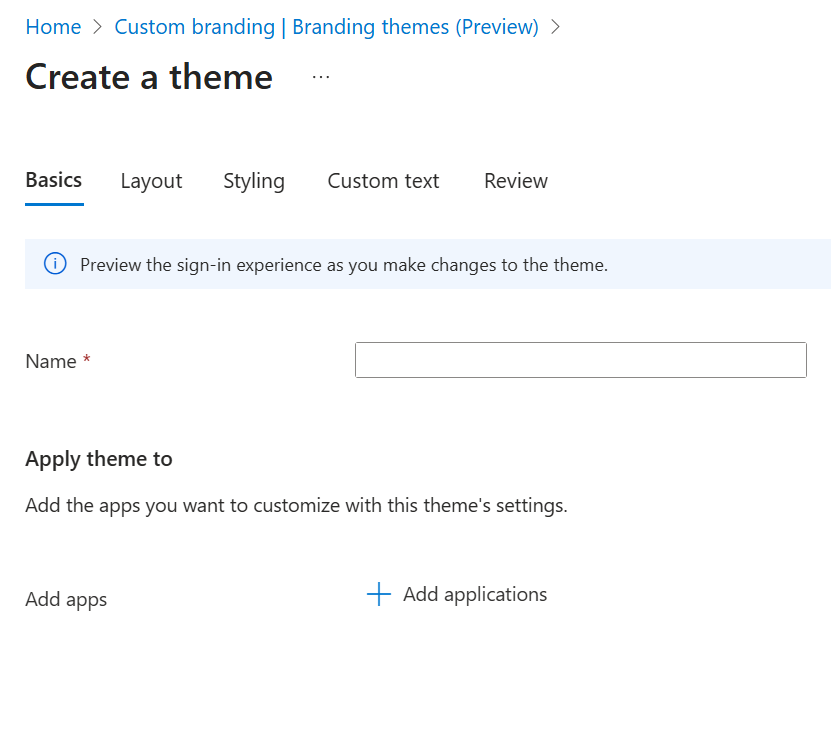
Create a theme
Before creating a new custom theme/branding, it is recommended to have your application registered in the external tenant first.
- Connect to your Entra ID portal (Microsoft Entra – Microsoft Entra admin center) with Organizational Branding Administrator and Application Administration roles assigned on the external ID tenant
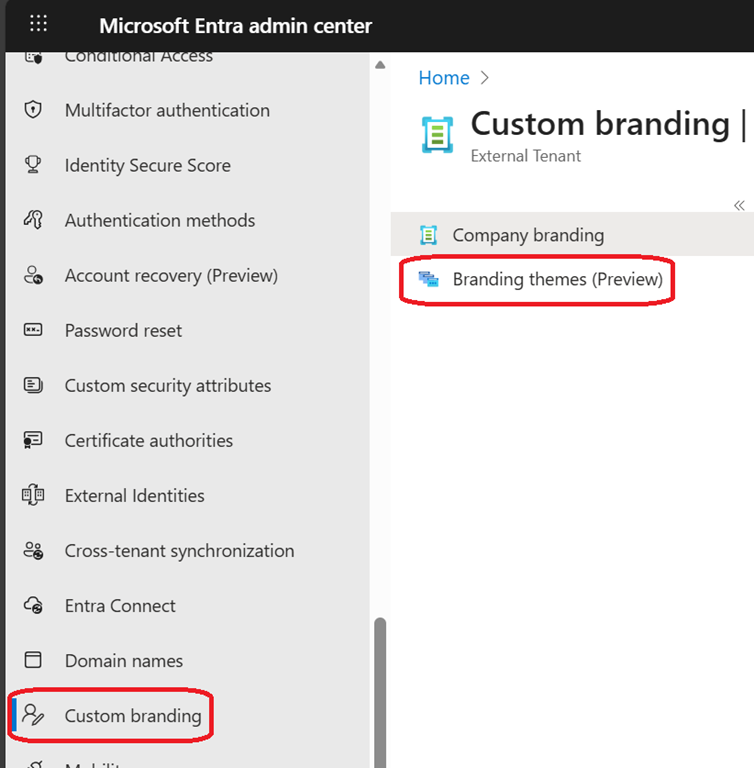
- Access the Custom branding\Branding themes blade
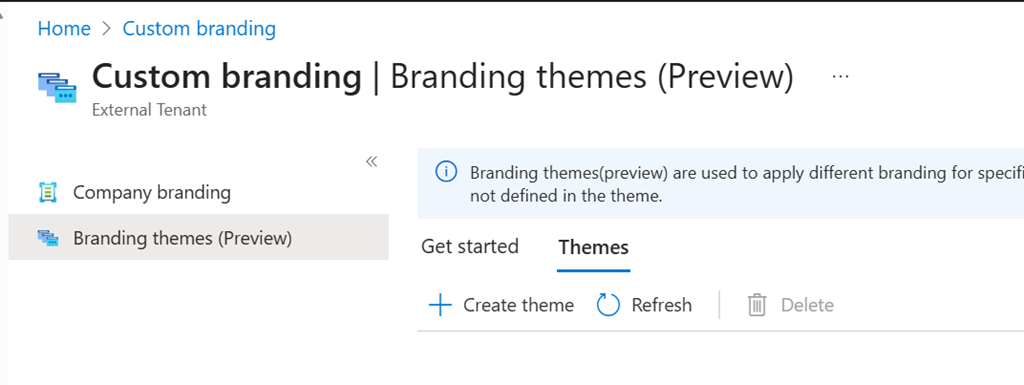
- From there click on the Themes tab to create (or edit) theme
- When creating a theme, it is optional to select the application(s) the theme is going to be applied to; it is recommended to have it registered before anyway. The branding configuration is exactly the same as for the general/standard company branding capability