By now you should already know Azure Security Center (ASC), the unified one-stop shop security management for Azure, providing you details about your security posture and potential improvements.
Well, you can now define automation workflow (in preview) to automate actions based on detection alerts or security center recommendations.
Automation workflow uses Logic App to execute actions you will define so the potential activities are endless 
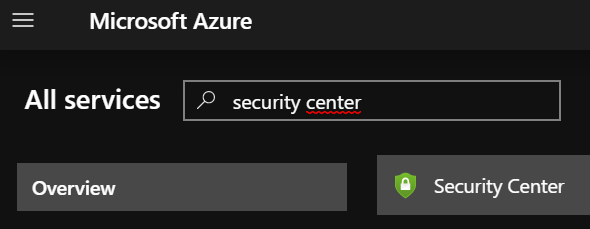
To start using it, logon to your Azure portal (https://portal.azure.com/) and reach out the Security Center blade
Then access the Workflow automation blade available in the Overview section

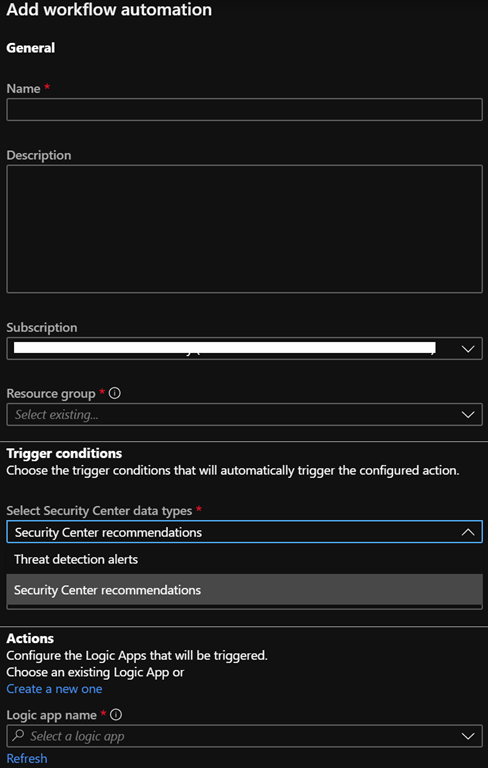
Then you can create (or edit existing automation flow once you have created some) workflow automation

When creating an automation workflow you define:
- A name
- The subscription with which it will be associated
- A resource group where the automation workflow will be saved
- The trigger conditions:
- either Threat detection alerts or security center recommendations as data types
- the value to trigger the action; either text if using threat detections or recommendations type when using the ASC recommendations
- the action, which is the logic app; if you don’t have yet created logic app, you will be able to do so from the automation wizard