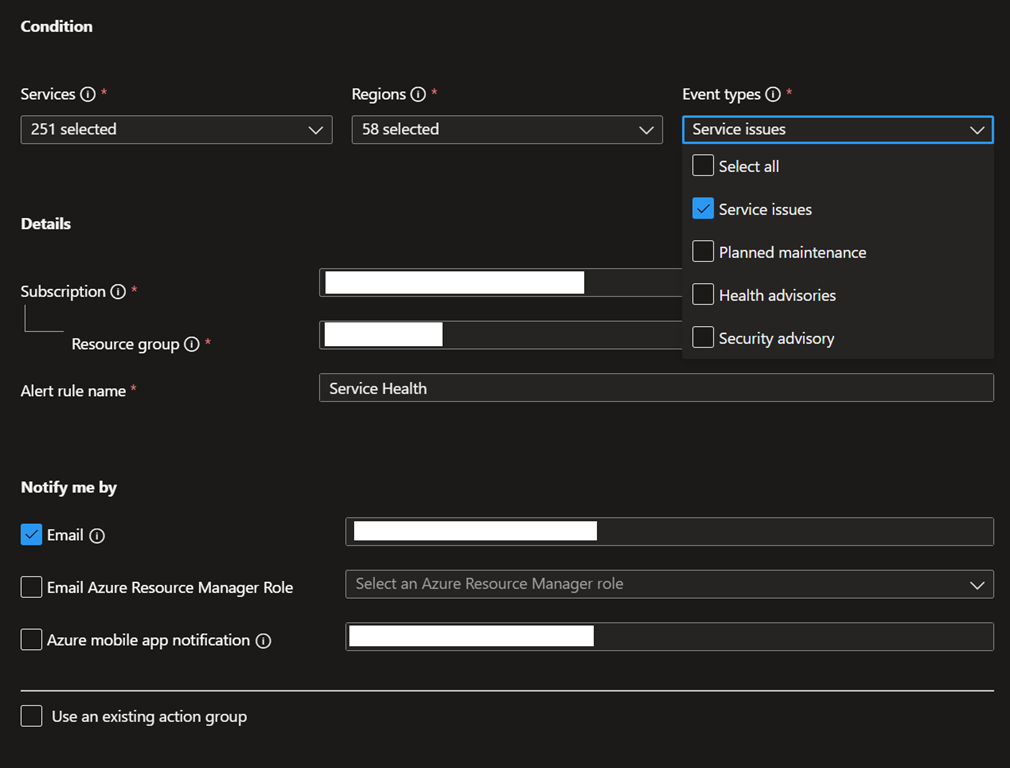
As part of a correct Azure governance, you need to implement alerts to be alerts in case something wrong arise.
As part of such alerts, you need to implement service health alerts too.
However, unfortunately you had to set such health service alerts for every single Azure subscription and do it all over again for new subscriptions.
Well, good news as now you can create Azure service health alerts at the tenant level instead, which will then automatically provides the same for new subscriptions.
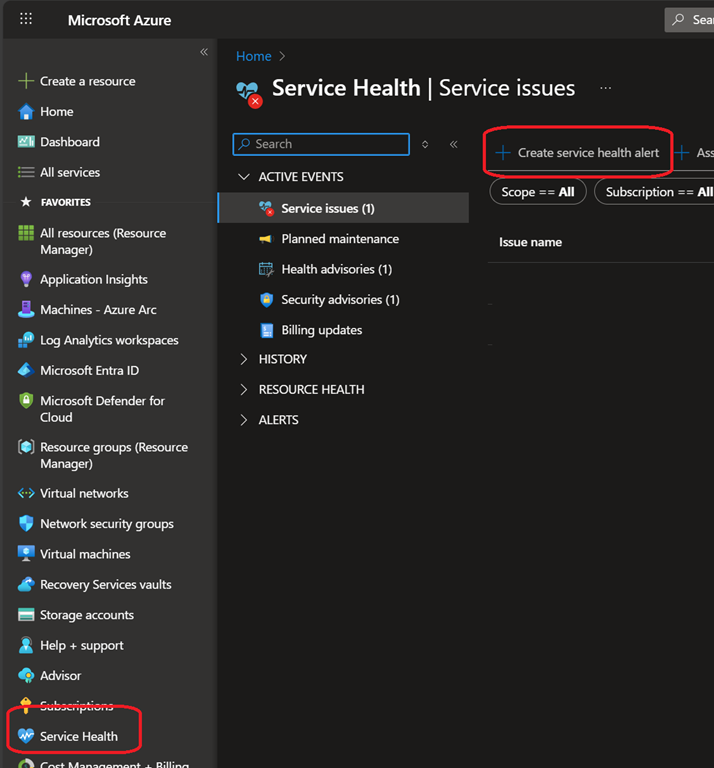
While this feature is currently in preview, you can start setting things up by connecting to your Azure portal (Home – Microsoft Azure) to access the Service Health blade
From there click on Create service health alert button to create a tenant level service health alert
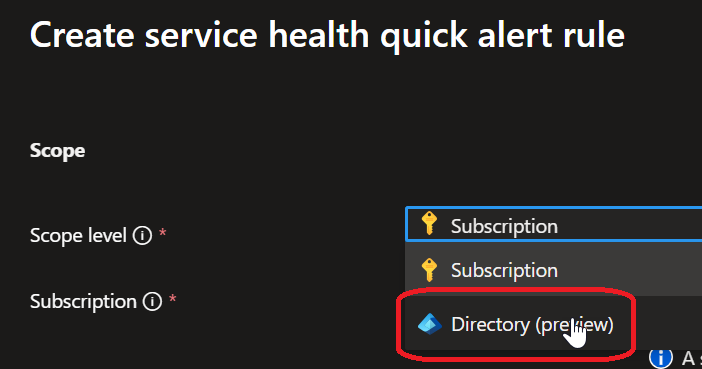
When creating the alert, ensure you select the scope to Directory before continuing with the wizard
NOTE by default – at least in preview – all services and regions are automatically selected for service issues
You still need to select the services, regions and event types you want to be notified for issues