As you probably know, users may have the ability to create new tenant using the Manage tenant option from the Azure AD (https://aad.portal.azure.com/) or Entra () portal


When creating a new tenant, the user becomes automatically a global administrator for this new tenant and this new tenant does not inherit your organization settings or configuration.
This can becomes a major problem with many unknown/”unmanaged” tenants.
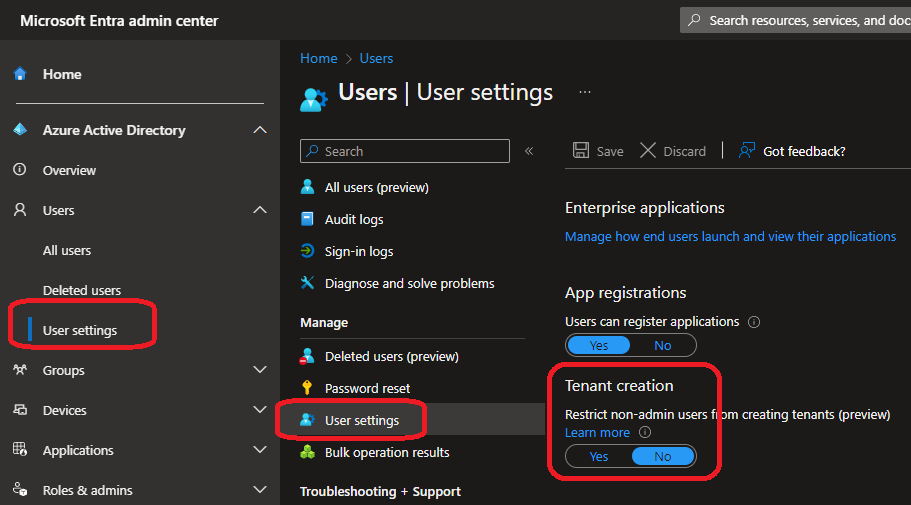
Administrators can now restrict tenant creation operations to only administrators or users with Azure AD Tenant Creator role

To restrict tenant creation, connect to your Azure AD or Entra portal to access the Users Settings blade and set the Tenant creation option to Yes